Managed Web Server
A dedicated server with a control panel included, run by our engineers. No control panel licence to pay.
Your own web server. Managed by us. Control panel included.
Rent a dedicated virtual server in our Vilnius data center with PFHW (Panel for Hosting Websites), a full hosting control panel, installed and our engineers running the server. Host websites, applications and email for your customers or your own business, for one price and with no separate control panel licence.
No control panel licence
PFHW, the control panel, is part of the service. You pay one price for the server, the panel and the management, with no per-account fees.
Managed by our engineers
We monitor the server, apply operating system security patches, maintain the firewall and run the backups. You keep full control of your sites and applications.
High availability in Vilnius
Your data is stored three times on a Ceph cluster in a Tier III data center. If a physical host fails, your server restarts on a healthy one.
Built for people who host for others, and for themselves
Agencies and freelancers
Host all your client sites on one server, with a separate account and login for each client.
Hosting resellers
Create plans, add customers and manage their accounts. Move your existing accounts over with the cPanel import tool.
Businesses with several sites
Run your company websites, applications and mailboxes on a server dedicated to you.
Application owners
Run PHP, Python, Ruby or Java applications, and Node.js or Next.js applications under PM2, with deploy from Git and a web terminal.
From first contact to a running server
Request a demo
Tell us what you host. We contact you to arrange a time.
We prepare your server
After the demo we can set up a trial server for you.
Move your sites
Import cPanel backup packages, or upload your sites with SFTP or Git.
We keep it running
Monitoring, patching, the firewall and backups are on us.
Everything PFHW does
Open a category to see every function you and your customers get.
374 functions in 15 categories
No function matches your search.
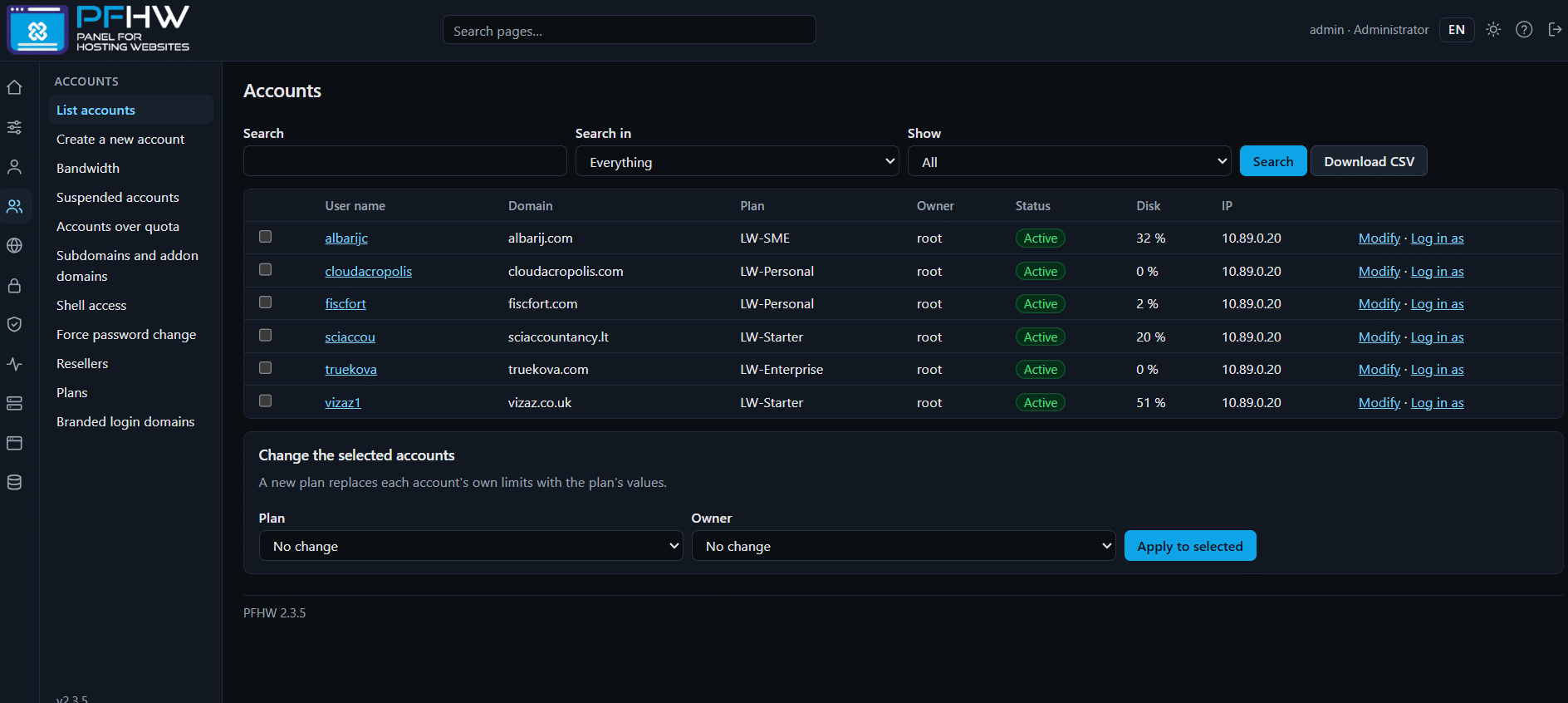
- Create hosting accountCreate a hosting account with its own domain, login and plan. Accounts need the nameservers to be set first.
- List and search hosting accounts (JSON or CSV)Search and filter all accounts. The API can return the list as CSV. A reseller sees only its own customers' accounts.
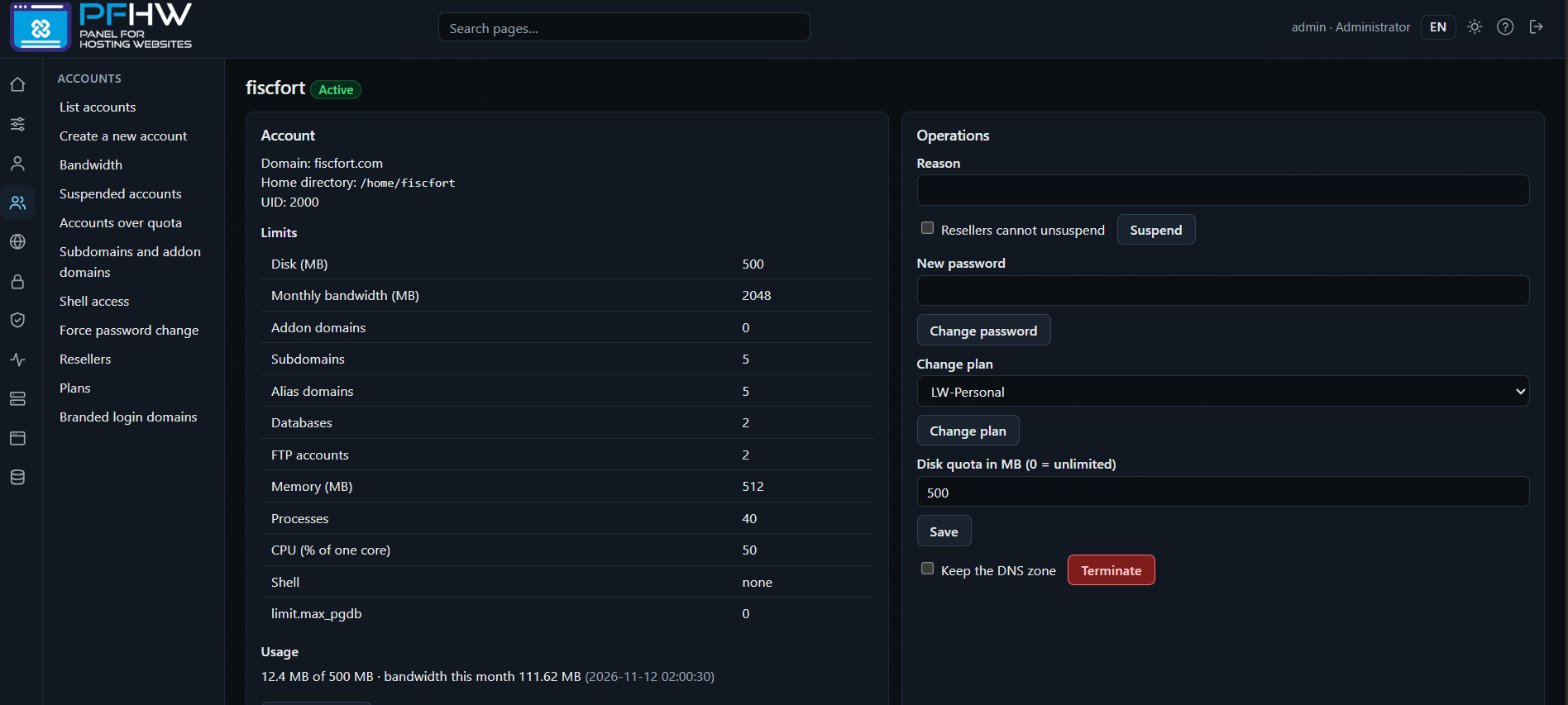
- View an accountOpen an account and see its details, plan and usage.
- Suspend accountSuspend an account, with an optional reason. A lock stops a reseller from unsuspending it.
- Unsuspend accountUnsuspend an account with one click.
- Terminate accountTerminate an account and its data. You can keep its DNS zone or delete its mailboxes. It takes effect at once, with no undo window.
- Wizard: onboard a customer (administrator)Step by step, with a checklist: create the customer and the account, choose the plan, and see what is still missing before you hand it over.
- Change account passwordSet a new password for an account. It is the password for the panel, SSH, SFTP and FTP; database passwords are not changed.
- Change plan (package) of an accountMove an account to another plan, keeping or replacing its own limits.
- Change disk quota of an accountChange the disk quota of a single account.
- Modify account (own limits, e-mail, user name, owner, language)Edit an account's own limits, contact e-mail, user name and owner in one place.
- Rename account user nameRename the user name of an account.
- Modify several accounts at once (bulk)Change the plan or the owner of many accounts at once.
- Change the owner (reseller) of an accountMove an account to another reseller.
- Move account to another home directory locationMove an account's files to another home location on the server.
- Refresh account usage (disk, bandwidth)Refresh the disk and bandwidth use of an account.
- Monthly bandwidth limit per accountSet a monthly bandwidth limit per account. A daily check applies it, and a reset returns the account to its plan.
- Run the bandwidth check now / lift all bandwidth limitsRun the bandwidth check now, or lift all bandwidth limits.
- View bandwidth usage of all accountsSee the bandwidth use of all accounts in one table.
- List suspended accountsList every suspended account.
- List accounts over quotaList the accounts that are over their disk quota. The list is only shown; nothing is sent to the customer.
- List and remove subdomains, addon and alias domains of all accountsSee and remove the subdomains, addon domains and aliases of all accounts.
- Shell access of accounts (normal, restricted, none; one or all)Choose shell access for each account: normal, restricted or none. Restricted accounts get a process limit against fork bombs.
- Resellers: add, list, show usageAdd resellers, list them and see their usage.
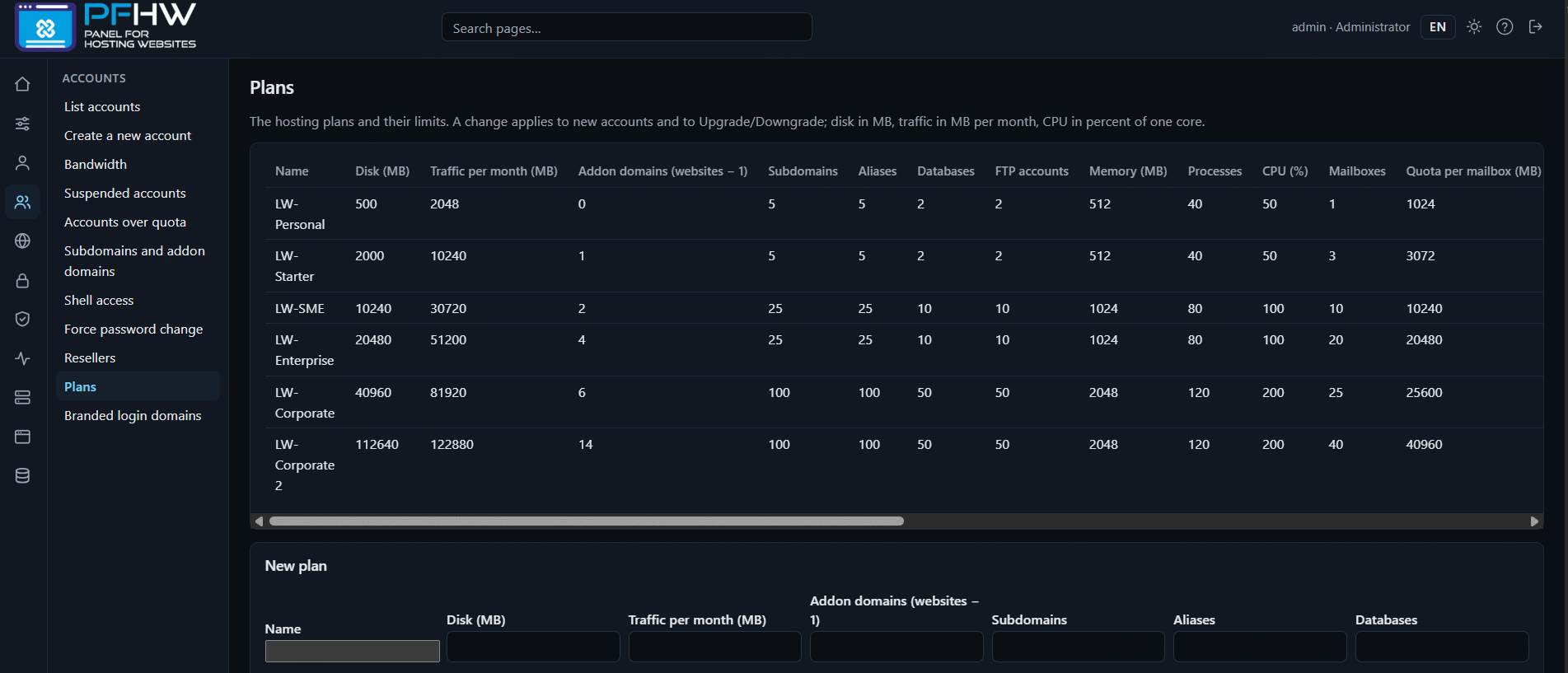
- Plans (packages): create, edit, delete, limitsCreate plans with limits for disk, bandwidth, domains, databases, FTP accounts, memory, processes, CPU and shell access.
- List, create, delete portal users and set their password (API)List, create and delete panel users and set their passwords. Available through the API.
- Customer records (create, read, change, delete)Keep customer records: create, read, change and delete. Available through the API.
- Service and domain records (registry only)Keep service and domain records in the registry. Available through the API.
- Audit logKeep a log of administrative actions. Available through the API.
- Account preferences: contact e-mail addressesSave up to two contact e-mail addresses per account. They are used by site monitoring alerts, leech protection and mail to customers.
- User manager: extra FTP and Web Disk loginsCreate extra FTP and Web Disk logins for an account. Logins with FTP count against the plan's FTP limit.
- Add a team userAdd a colleague as a team user of an account.
- Change a team user's roles (Administrator, Database, Web, Email)Give team users roles: Administrator, Database, Web or Email.
- Suspend or unsuspend a team userSuspend or unsuspend a team user.
- Delete a team userDelete a team user.
- Suspend all accounts of a resellerSuspend all accounts of a reseller at once.
- Unsuspend all accounts of a resellerUnsuspend all accounts of a reseller at once.
- Terminate all accounts of a resellerTerminate all accounts of a reseller at once.
- Create the customer together with the accountCreate the customer and the account in the same step.
- Reseller sees and manages only its own customers' accountsA reseller sees and manages only its own customers' accounts.
- Log in with user name and passwordSign in with a user name and password. Idle sessions end after a set time, and failed logins are counted by brute-force protection.
- Log outEnd your session from any page.
- Two-factor login (TOTP) set up, confirm and removeProtect a login with a one-time code from an authenticator app. Users set it up, confirm it and remove it themselves.
- Enter the two-factor code at loginEnter the one-time code as the second step at login.
- Administrator turns off two-factor for a userAn administrator can turn off two-factor login for a user who lost the device, and list who uses it. The list is available through the API.
- Change own passwordChange your own password from the panel.
- Password generatorGenerate a strong random password when you create or change one.
- Password strength meter and minimum strengthShow a strength meter and refuse passwords below a minimum strength set by the administrator.
- Password expiry (force new password after N days)Optional: force a new password after a set number of days. Off by default.
- Force password change for usersMake chosen users pick a new password at their next login.
- Limit logins to verified IP addressesOptional: allow panel logins only from verified IP addresses. Adding a verified address is done through the API.
- Security questions at login from a new addressOptional: ask security questions when someone logs in from a new address.
- Delete own security questionsUsers can delete their own security questions.
- Administrator resets a user's security questionsAn administrator can reset a user's security questions. Available through the API.
- Passkeys (WebAuthn) register and log inOptional: register a passkey (WebAuthn) and log in with it. A passkey login counts as two factors.
- Administrator resets a user's passkeysAn administrator can reset a user's passkeys. Available through the API.
- List users' login methodsSee which login methods each user has set up: two-factor, questions, passkeys and linked external identities.
- External login (OpenID Connect, Google, GitHub): providersOptional: let users sign in with OpenID Connect, Google or GitHub. An administrator chooses the providers.
- External login: link and unlink own identityUsers can link their panel account to an external identity, and unlink it again.
- External login: administrator removes a user's identitiesAn administrator can remove a user's linked external identities. Available through the API.
- Branded client login domains (reseller)Give a reseller its own login address for its customers, with the reseller's host name, certificate, brand name and logo.
- One-time login URL for a customer (billing system)Sign a customer in from your billing system with a one-time URL that works once and expires within about a minute.
- Log in as the customer and returnSign in as a customer to help them, then return to your own session.
- API tokens: create, rename, revokeCreate API tokens to automate tasks. Name them, set an expiry and an IP allow-list, and revoke them at any time.
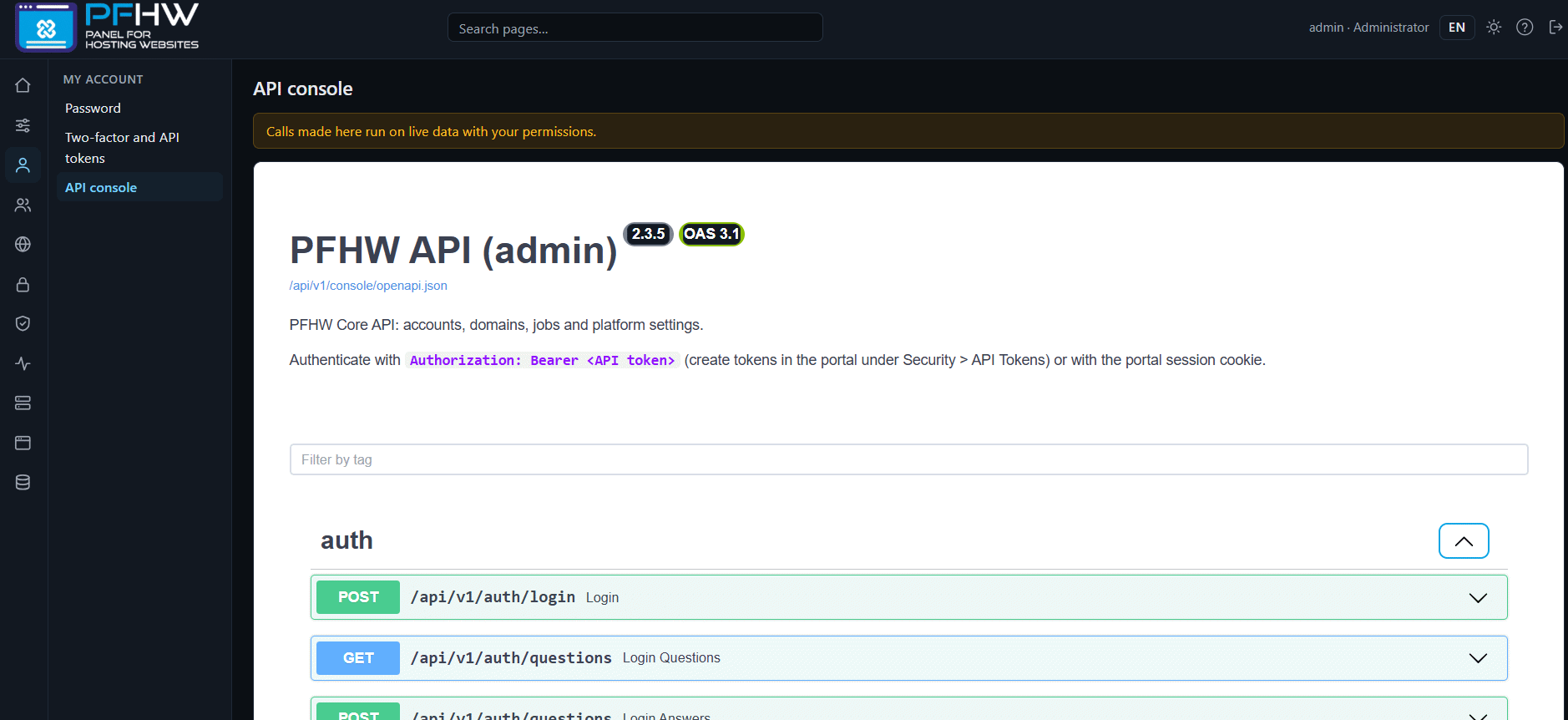
- API console (Swagger UI)Try API calls in the built-in Swagger console. The page can be switched off.
- Portal single sign-on provider for the file manager (OpenID Connect)The panel is the sign-in provider (OpenID Connect) for the file manager, so users are logged in to it automatically.
- Statistics report language mappingMap the panel language to the language of the statistics reports.
- Delete own passkeyUsers can delete their own passkeys.
- ModSecurity (WAF) global configuration: mode, paranoia, threshold, audit, disabled rulesRun ModSecurity (WAF): choose the mode, paranoia level, threshold and audit settings, and disable rules.
- ModSecurity custom rules and rule hitsAdd custom ModSecurity rules and see the rule hits.
- ModSecurity rule sets (OWASP CRS): on/off, version update, rule files, disable by rule idTurn the OWASP rule set on or off, update its version, manage rule files and disable rules by id.
- ModSecurity per domain (customer) and hitsSwitch ModSecurity on or off for each domain, and see its hits.
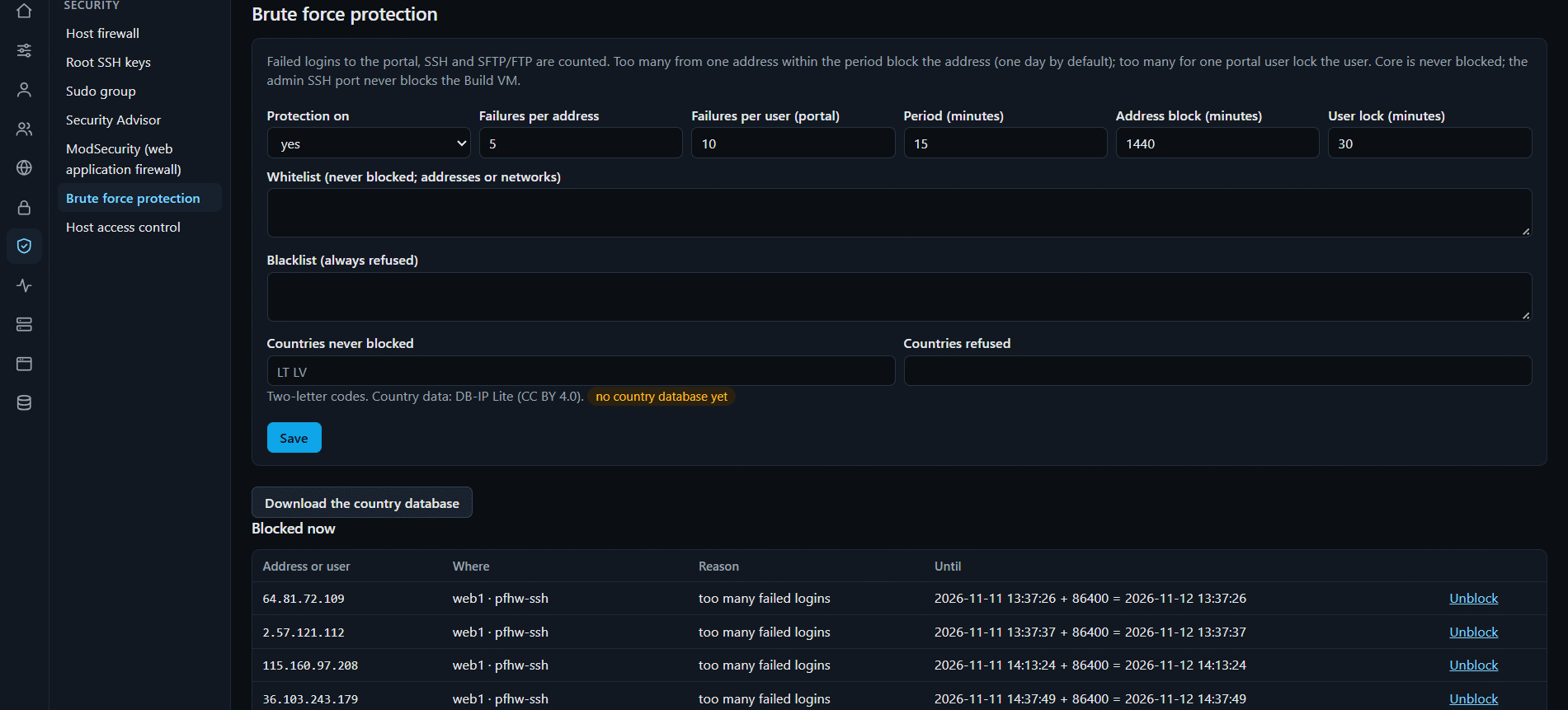
- Brute force protection (cPHulk): settings, report, unblockBlock IP addresses after repeated failed logins to the panel, SSH, SFTP and FTP. Settings, report and unblock are in the panel.
- Country white and black lists for logins (GeoIP database download and lookup)Allow or deny logins by country, using a GeoIP database that the administrator downloads.
- Host access control rulesAllow or deny access to the server by address with host access rules.
- IP Blocker (customer)Block visitors by address, range or wildcard for all of an account's sites.
- Virus scanner (ClamAV): scan, quarantine, deleteScan files for viruses with ClamAV, and quarantine or delete what is found. It runs on demand.
- Host firewall with confirm-or-revertManage the host firewall. Changes revert automatically unless you confirm them. The host owner must switch changes on first.
- Root SSH keys: list, add, generate, removeList, add, generate and remove the SSH keys that can log in as root. The host owner must switch changes on first.
- Sudo group: list, add and remove membersList, add and remove the members of the sudo group. The host owner must switch changes on first.
- Security Advisor (read-only scan of the host and of PFHW settings)Scan the server and the PFHW settings for security problems. The scan only reports; it changes nothing.
- Security Advisor scheduleRun the Security Advisor on a schedule.
- Automatic IP banning (Fail2ban-style netfilter) with allowlist and denylist MailcowBan abusive IP addresses automatically (Fail2ban style), with an allow-list and a deny-list.
- Watchdog monitoring of the mail containers MailcowWatch the mail containers with the Watchdog.
- List domains of an accountList the domains of an account.
- Change document root and Force HTTPS of a domainChoose the folder a domain is served from, and switch Force HTTPS on or off.
- Remove a domainRemove a domain from an account.
- Rename the main domainRename the main domain of an account.
- Serve a domain through nginx only or through Apache (.htaccess)Serve a domain with nginx alone, or through Apache so that .htaccess files work.
- Folder listing mode (Indexes)Choose whether a folder without an index file shows a list of its files.
- Leech protection of a protected folderLock a user of a protected folder who logs in from too many addresses. Off until enabled per folder.
- Apache handlersAssign Apache handlers to file extensions.
- Add an addon domainAdd an extra domain to an account, with its own document root. Limited by the plan.
- Add a subdomainAdd a subdomain such as shop.example.com. Limited by the plan.
- Add an alias (parked) domainAdd an alias (parked) domain that shows the same site as the main domain. Limited by the plan.
- Add a redirect (301/302)Add a permanent (301) or temporary (302) redirect.
- Delete a redirectDelete a redirect.
- Set a custom error pageShow your own page for errors such as 404 and 500.
- Remove a custom error pageRemove a custom error page.
- Add a MIME typeAdd a MIME type so the server sends special file types correctly.
- Delete a MIME typeDelete a MIME type.
- Protect a folder with a password (Directory privacy)Protect a folder with a password. Removing the protection uses the same screen.
- Add or remove a user of a protected folderAdd or remove the users who may open a protected folder.
- Global web server settings (timeouts, body size, keep-alive, index files, extra directives)Set server-wide web server options: timeouts, upload size, keep-alive, index files and extra directives.
- TLS protocols and ciphersChoose the TLS protocols and ciphers the web server accepts.
- Reload or restart the web serverReload or restart the web server.
- Rebuild every account's web server configurationRebuild the web server configuration of every account. Available through the API.
- Content compression gzip (server default and per site)Compress pages with gzip, as a server default or per site.
- Brotli compressionOptional: compress pages with Brotli. Off by default.
- Reverse proxy site type (site forwards to a back-end URL)Put a domain in front of an application by forwarding the site to a back-end address.
- Web server features of the nodes (what nginx can do)See what the web server nodes can do.
- Page cache per site (on/off, time) and purgeCache pages for each site, set the cache time and purge the cache. The cache size depends on the plan.
- WordPress object cache (Redis) on or offTurn on a Redis object cache for WordPress sites.
- List sites with a cache (all accounts)List the sites that have a cache, across all accounts.
- Bot blocking by user-agent name (per site and server-wide)Block unwanted crawlers and bots by their user-agent name, for each site and server-wide.
- Hotlink protectionStop other sites from embedding your images and files. Set per site.
- Cloudflare: real visitor address and Cloudflare-onlyFor sites behind Cloudflare: show the real visitor address and accept traffic only from Cloudflare. Off per site.
- Preview URL /~user on the server addressPreview a site on the server's own address (/~user) before its domain points to it. Off by default.
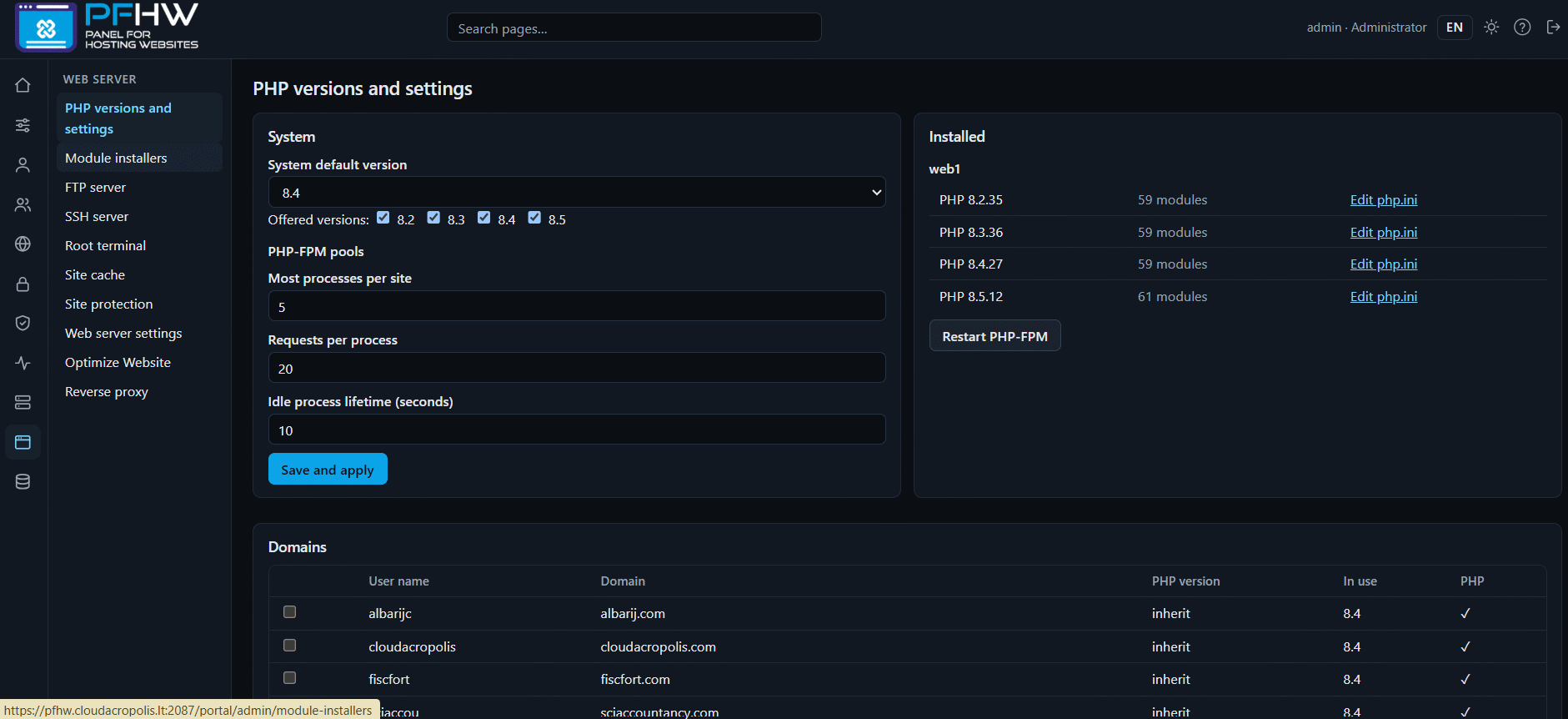
- PHP version per domain and PHP on/offRun a different PHP version on each domain, or switch PHP off. The administrator chooses the offered versions.
- PHP settings per account (basic form and php.ini editor)Edit PHP settings for an account with a simple form or the php.ini editor.
- PHP-FPM slow logLog slow PHP requests to find what makes a site slow. Off until you set a timeout.
- System PHP settings: offered versions, default version, extensions, pool limitsSet the offered PHP versions, the default version, extensions and pool limits for the server.
- Edit php.ini of a PHP versionEdit the php.ini of a PHP version for the whole server.
- Set PHP version or on/off for several domainsSet the PHP version, or switch PHP on or off, for several domains at once.
- Build PHP versions and extensionsBuild additional PHP versions and extensions on the server.
- Restart PHP-FPMRestart PHP-FPM.
- Web apps: Node.js, Java, Tomcat, Python (WSGI/ASGI) and Ruby (Puma)Host web apps written in Node.js, Java, Tomcat, Python and Ruby.
- n8n applicationInstall the n8n automation tool with one click, when the administrator enables it.
- Perl modules, PHP PEAR packages and RubyGems (customer)Install Perl modules, PHP PEAR packages and RubyGems in your own account.
- System Perl modules and PEAR packages (administrator)Install Perl modules and PEAR packages for the whole server.
- WordPress: install, list and removeInstall WordPress, list the installations and remove them.
- WordPress: one-click loginLog in to WordPress with one click.
- WordPress: change administrator passwordChange the WordPress administrator password.
- WordPress: security report and fixesCheck the security of a WordPress site and apply fixes.
- WordPress: scan for installations made by other meansScan an account for WordPress installations made by other means.
- Git deployment with releases and rollbackDeploy from Git as releases and roll back to an earlier one.
- Git repository browser (read-only)Browse a Git repository in the browser, read-only. Off by default.
- Add a cron jobAdd a scheduled cron job.
- Edit a cron jobEdit a cron job.
- Delete a cron jobDelete a cron job.
- Set the cron output e-mail addressChoose the e-mail address that receives cron output.
- Create a Git repository (clone or empty)Create a Git repository by cloning one or starting an empty one.
- Update a Git repository from its remote and deploy HEADPull the latest changes from a repository's remote and deploy them.
- Stop managing a Git repositoryStop managing a Git repository.
- Start, stop or restart a web appStart, stop or restart a web app.
- Read a web app's logRead the log of a web app.
- WordPress: update core, plugins or themesUpdate WordPress core, plugins or themes.
- WordPress: install a plugin or theme from wordpress.orgInstall a WordPress plugin or theme from wordpress.org.
- Node.js appsHost Node.js apps with a chosen Node version, entry file and build command.
- Next.js apps in production modeRun Next.js apps in production. The platform installs the packages, builds the app in the builder container and runs it under PM2.
- Node.js apps under PM2 (one process manager per account)Node.js apps run under PM2, with one PM2 process manager per account.
- Deploy an app from Git: public or private repository, branch, build and start commands, environment variables, deploy historyOne Deploy action pulls the repository, installs, builds and restarts the app. Private repositories use a deploy key. Branch, commands, environment variables, Node version, logs and deploy history are on the app's page.
- Wizard: publish a website or appPick the domain and the type of site, add the code from Git, an upload or a ZIP, and publish it with a progress list and a final check.
- Java and Tomcat appsHost Java and Tomcat apps with a chosen Java version and entry file.
- Ruby apps (Rack on Puma)Host Ruby apps (Rack on Puma) with a chosen Ruby version.
- Python apps (WSGI on gunicorn, ASGI with uvicorn workers)Host Python apps: WSGI with gunicorn, or ASGI with uvicorn workers.
- RubyGems (customer)Install RubyGems for your own account.
- File manager (single sign-on into the SFTPGo web client)Manage files in the browser with the SFTPGo web client, signed in automatically.
- Web Disk (WebDAV) loginsWork on your files over WebDAV with Web Disk logins.
- FTP connections: list and disconnect sessionsSee open FTP connections and disconnect them.
- Disk usageSee how much disk space an account uses.
- Compress, extract, set permissions, search file namesCompress and extract archives, set permissions and search for files by name.
- Web terminal (customer)Open a terminal for your account in the browser.
- FTP server settings and restart (administrator)Set FTP server options and restart the FTP service.
- Set up file manager single sign-on on every web nodeSet up single sign-on for the file manager on every web node. Available through the API.
- SSH server: password logins and restart (administrator)Allow or block SSH password logins for the server, and restart the SSH server.
- Root terminal on a node (administrator)Open a root terminal on a node from the admin panel.
- Create an FTP accountCreate an FTP account limited to a folder. The plan limits how many.
- List FTP accounts with folder, quota and usageList FTP accounts with their folder, quota and usage.
- Change an FTP account's password or quotaChange an FTP account's password or quota.
- Delete an FTP accountDelete an FTP account.
- Generate an SSH keyGenerate an SSH key.
- Import an SSH keyImport an SSH key.
- Authorize or deauthorize an SSH keyAuthorize or deauthorize an SSH key.
- Delete an SSH keyDelete an SSH key.
- MariaDB: user privileges on a databaseGive a MariaDB user privileges on a database.
- MariaDB Database Wizard (database, user and privileges in one step)Create a MariaDB database, a user and its privileges in a single step.
- Remote MySQL (hosts allowed to connect)Allow chosen remote hosts to connect to your MariaDB database. Closed until you list a host.
- phpMyAdmin (customer, logged in automatically)Open phpMyAdmin from the panel without typing a password.
- Slow queries (customer, own databases)See the slow queries of your own databases. Empty until the administrator sets a threshold.
- PostgreSQL Database WizardCreate a PostgreSQL database, a user and its privileges in one step.
- Remote PostgreSQL (hosts allowed to connect)Allow chosen remote hosts to connect to your PostgreSQL database.
- phpPgAdmin (Adminer, customer, logged in)Open Adminer, the PostgreSQL web client, from the panel without typing a password.
- PostgreSQL job status of an accountSee the job status of an account's PostgreSQL work. Available through the API.
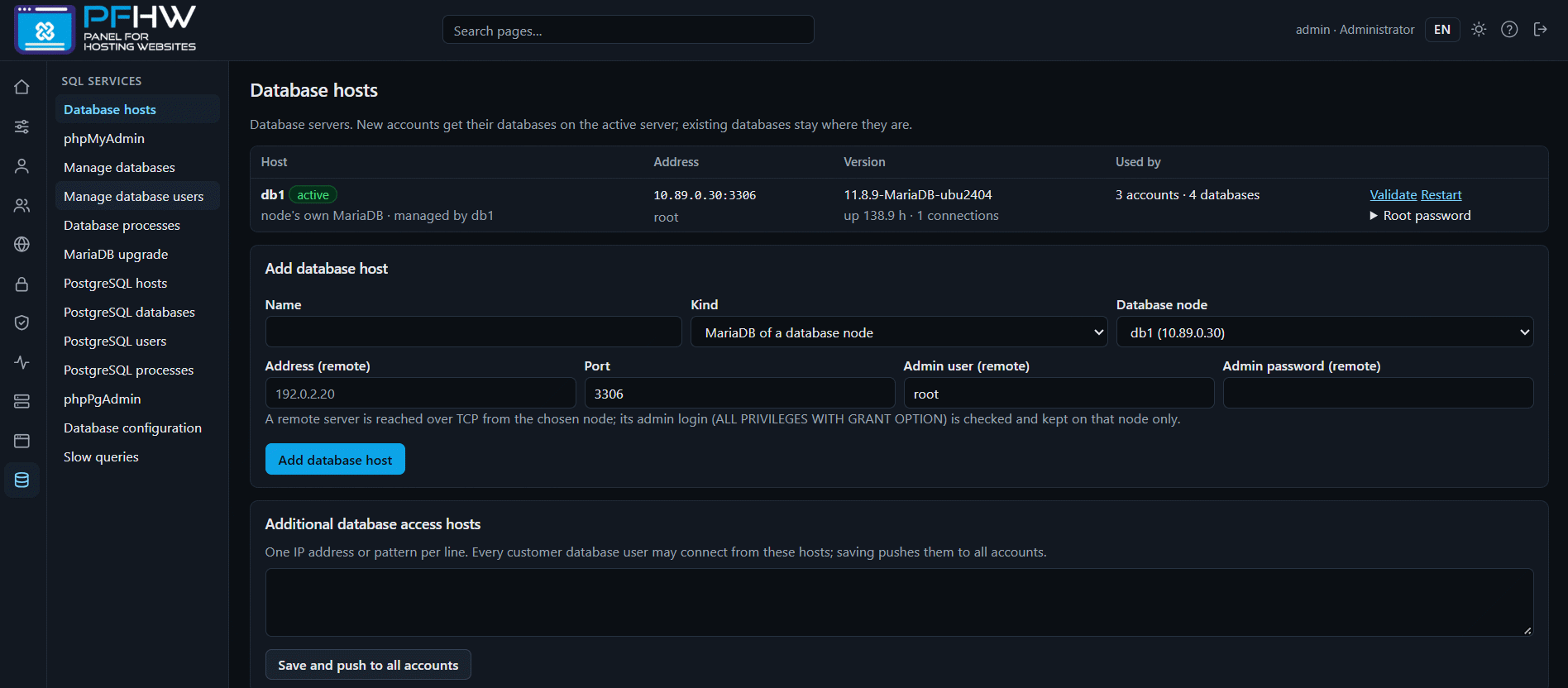
- MariaDB hosts: list, add, validate, activate, deleteConnect several MariaDB servers: list, add, validate, activate and delete them. One is active at a time.
- Edit a remote MariaDB host profileEdit the profile of a remote MariaDB host. Available through the API.
- MariaDB root password and restartChange the MariaDB root password and restart the database server.
- Additional MySQL access hosts (all database users)Allow extra hosts to reach the database server for all database users.
- Change any database user's passwordChange the password of any database user as an administrator.
- phpMyAdmin at root levelOpen phpMyAdmin with administrator rights.
- Manage all MariaDB databases and users: list, rename, repair, give to an accountList all MariaDB databases and users, rename them, repair them and give them to an account.
- Database processes (MariaDB)See the running MariaDB processes.
- MariaDB upgrade: check, test copy, runUpgrade MariaDB with the host command pfhw-dbupgrade. The portal shows the upgrade reports.
- Database version upgrade in container mode (MariaDB and PostgreSQL) with backup, trial on a copy and way backUpgrade MariaDB and PostgreSQL with a backup, a trial on a copy and a way back. It runs from the command line.
- Database server configuration editor (MariaDB and PostgreSQL)Edit database server settings from an allowed list. Changes are tested and rolled back automatically if the health check fails.
- Slow query monitoring (administrator: threshold, retention, read, clear)Set the slow-query threshold and retention for a database host, and read or clear the log.
- PostgreSQL hosts: list, add, edit, validate, activate, delete, postgres password, restartConnect several PostgreSQL servers: list, add, edit, validate, activate and delete them, change the postgres password and restart.
- PostgreSQL databases, users and processes of all accountsSee the PostgreSQL databases, users and processes of all accounts.
- phpPgAdmin (Adminer) as superuserOpen Adminer as the PostgreSQL superuser.
- Create a MariaDB databaseCreate a MariaDB database. The name gets the account prefix and the plan limits how many.
- Rename a MariaDB databaseRename a MariaDB database.
- Check a MariaDB databaseCheck a MariaDB database for errors.
- Repair a MariaDB databaseRepair a MariaDB database.
- Delete a MariaDB databaseDelete a MariaDB database.
- Create a MariaDB userCreate a MariaDB user.
- Change a MariaDB user's passwordChange a MariaDB user's password.
- Rename a MariaDB userRename a MariaDB user.
- Delete a MariaDB userDelete a MariaDB user.
- Create a PostgreSQL databaseCreate a PostgreSQL database. The plan sets how many; a plan limit of 0 turns it off.
- Rename a PostgreSQL databaseRename a PostgreSQL database.
- Check a PostgreSQL databaseCheck a PostgreSQL database for errors.
- Repair a PostgreSQL databaseRepair a PostgreSQL database.
- Delete a PostgreSQL databaseDelete a PostgreSQL database.
- Create a PostgreSQL userCreate a PostgreSQL user.
- Change a PostgreSQL user's passwordChange a PostgreSQL user's password.
- Rename a PostgreSQL userRename a PostgreSQL user.
- Delete a PostgreSQL userDelete a PostgreSQL user.
- Add or remove a PostgreSQL user on a databaseAdd or remove a PostgreSQL user on a database. Privileges are all or nothing.
- Synchronize PostgreSQL grantsApply the stored PostgreSQL grants again.
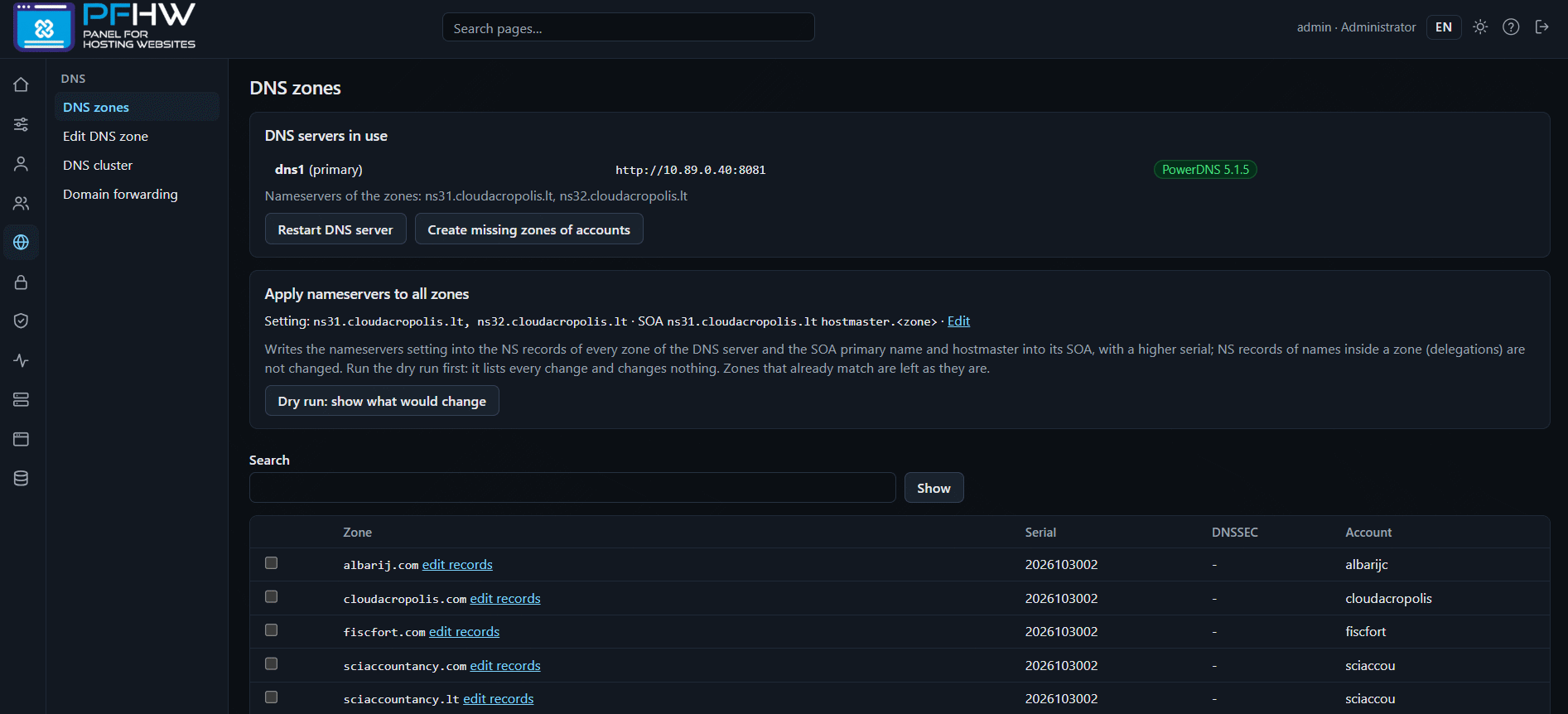
- List and search DNS zonesList and search the DNS zones.
- Add DNS zoneAdd a DNS zone.
- Delete DNS zonesDelete DNS zones.
- Add an A entry for a host nameAdd an A record for a host name.
- Restart DNS serverRestart the DNS server.
- Template for new zonesChoose the template that new zones are created from.
- Set TTL of selected zonesSet the TTL of selected zones.
- DNS cleanup (remove duplicate records)Clean up a zone by removing duplicate records.
- Add SPF to all account zonesAdd an SPF record to the zones of all accounts. DKIM is created per mail domain under Mail DNS records.
- Change an IP address in all zonesChange a server IP address in all zones at once. Available through the API.
- Create missing zones for account domainsCreate missing zones for the domains of your accounts automatically.
- Nameservers for all zones (set, dry run, apply)Set the nameservers for all zones (two to eight). A dry run lists every change before it is applied.
- Edit any zone's records and view its change history (admin)Edit any zone's records as an administrator and see the change history.
- DNS cluster status and synchronise with a secondarySee the status of a DNS cluster and synchronize with a secondary server.
- Reset zone to the default recordsReset a zone to its default records.
- Track DNS: look up a name and trace a routeLook up a DNS name and trace the route to it.
- Domain forwarding (whole domain 301/302 to a URL, no account)Forward a whole domain to a web address (301 or 302) without creating an account. The domain's A record must point to the server.
- View DNS records of a zone (customer)Customers see the DNS records of their zones.
- Add a DNS record (customer)Customers add DNS records.
- Edit a DNS record (customer)Customers edit DNS records.
- Delete a DNS record (customer)Customers delete DNS records.
- DNSSEC: view keys and DS recordsSee the DNSSEC keys of a zone and its DS records.
- DNSSEC: create or import a keyCreate or import a DNSSEC key.
- DNSSEC: activate or deactivate a keyActivate or deactivate a DNSSEC key.
- DNSSEC: export a private keyExport a DNSSEC private key.
- DNSSEC: delete a keyDelete a DNSSEC key.
- Dynamic DNS: create a hostCreate a dynamic DNS host for a device whose address changes.
- Dynamic DNS: recreate a host's address or delete the hostRecreate a dynamic DNS host's address, or delete the host.
- Dynamic DNS: device updates its address (public web call)A device updates its own address with a public web call, with no panel login.
- Private keys: generate, upload, view, deleteGenerate, upload, view and delete private keys.
- Certificate signing requests: create, view, deleteCreate, view and delete certificate signing requests.
- Upload a certificateUpload a certificate.
- Create a self-signed certificateCreate a self-signed certificate.
- Install and uninstall a certificate on a siteInstall a certificate on a site, or uninstall it. The certificate can be uploaded, self-signed or ordered automatically from Let's Encrypt.
- SSL/TLS status of every domain with expiry warningSee the SSL/TLS status of every domain, with an expiry warning.
- SSL/TLS wizard (one certificate on several domains)Use one certificate on several domains with the SSL/TLS wizard.
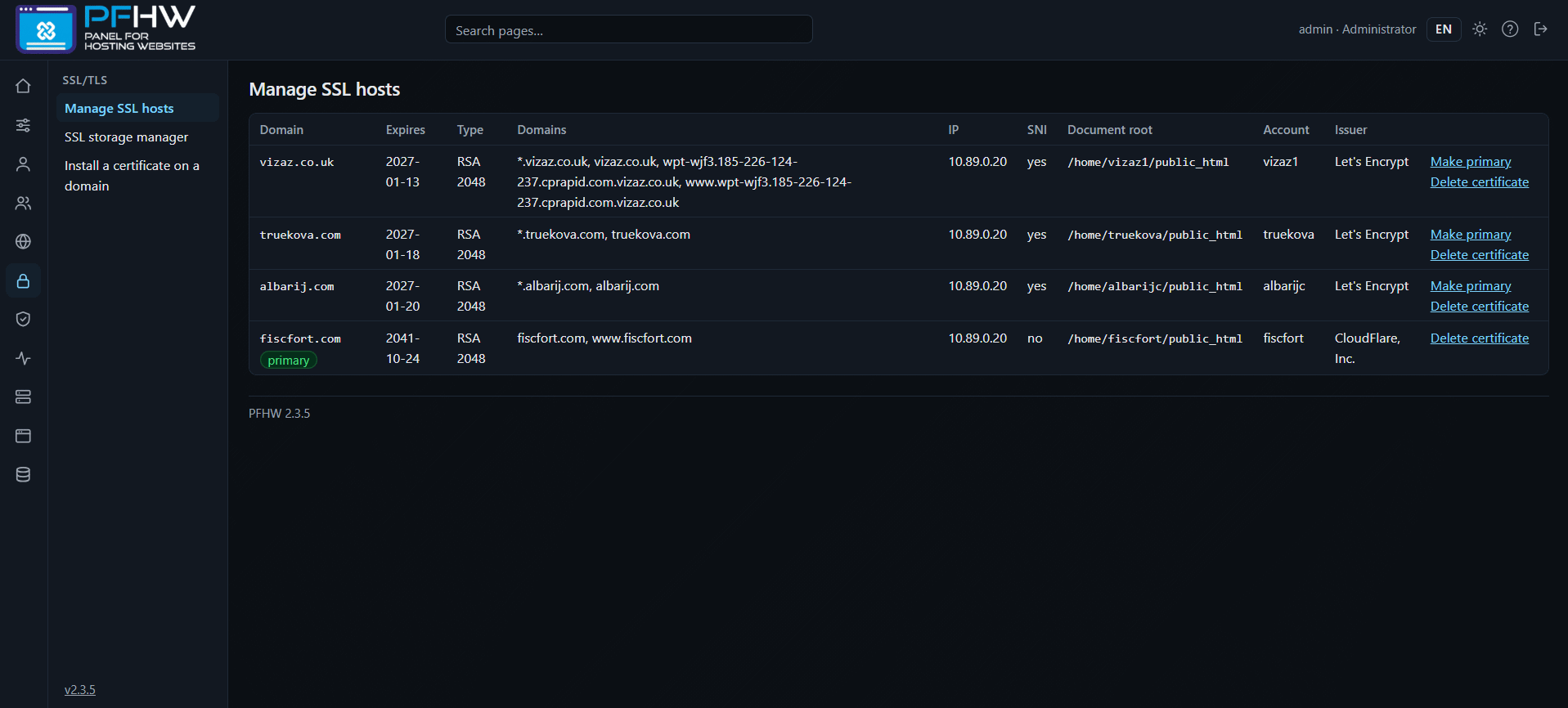
- Manage SSL hosts: list, make primary, uninstall (administrator)As an administrator, list SSL hosts, make one primary or uninstall it.
- SSL storage manager (stored keys, CSRs, certificates of all accounts)See the stored keys, signing requests and certificates of all accounts.
- Install a certificate on any domain (administrator)Install a certificate on any domain as an administrator.
- Automatic certificate (Let's Encrypt): order, install and renewOrder a free Let's Encrypt certificate for a domain from the portal. It is installed on the site and renewed automatically when 30 days remain.
- Wildcard certificate through DNS validationOrder a wildcard certificate. The platform proves the domain through its own DNS server.
- Automatic certificate status, failures shown, and switch back to an uploaded certificateSee each domain's automatic certificate and its expiry. A failed order or renewal shows on the SSL/TLS status page. Switch back to the uploaded certificate at any time.
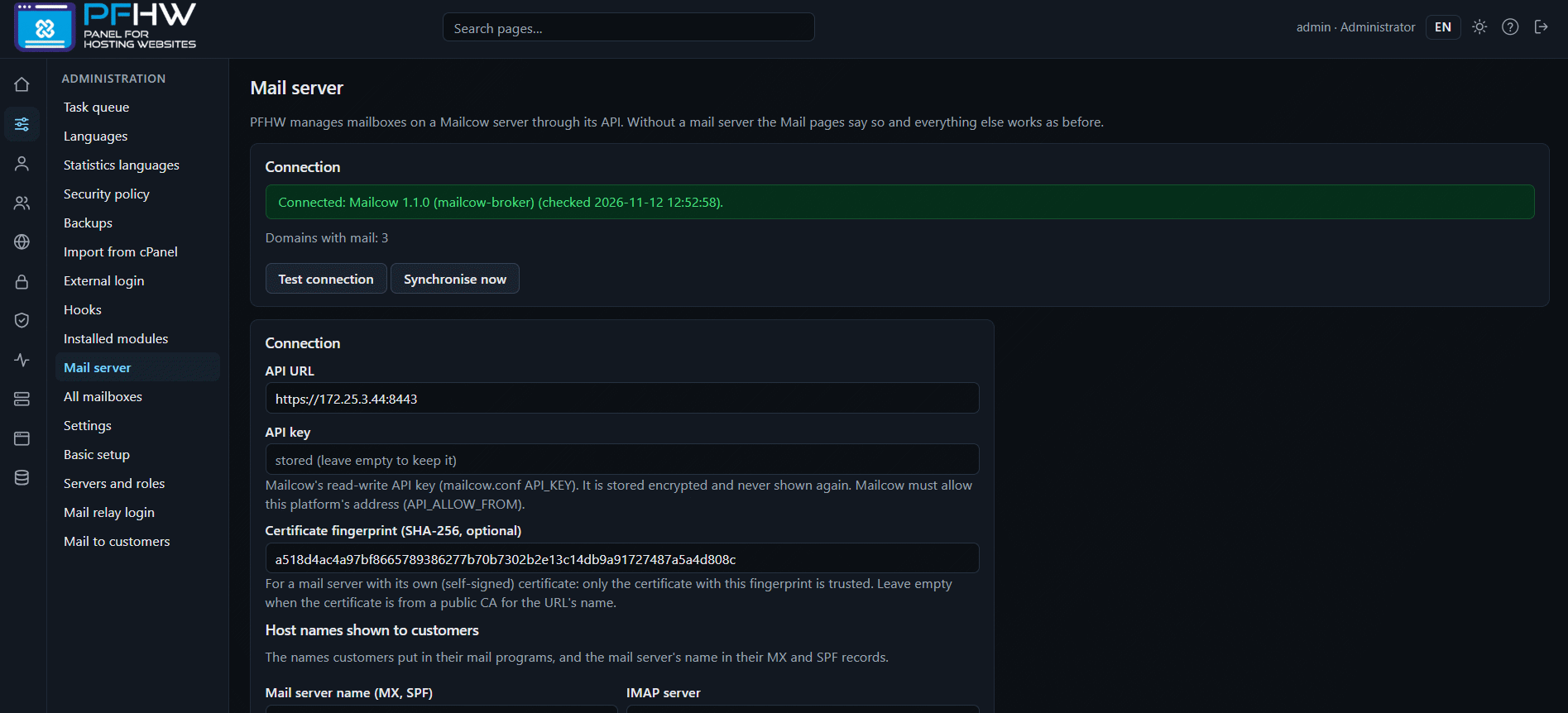
- Connect a Mailcow mail server (save, test, sync, disconnect)Connect a Mailcow mail server to PFHW: save the connection, test it, sync and disconnect. The Mail pages work once it is connected.
- Mail import access for the cPanel importer (SSH key limited to one command)Give the cPanel importer a limited SSH key so it can bring mail over.
- All mailboxes of the platformSee all mailboxes of the platform in one list.
- Mail on or off for a domain (with delete preview)Switch mail on or off for a domain. Turning it off lists the mailboxes first and asks for confirmation.
- Mail settings (server names for mail programs)See the server names to enter in mail programs.
- Mail DNS records (MX, SPF, DKIM, DMARC) preview and applyPreview and apply the MX, SPF, DKIM and DMARC records of a mail domain, after a confirmation.
- Mail to customers (all customers, resellers, a plan or a node)Send a plain-text message to all customers, all resellers, one plan or one node.
- Mail relay login (user and password of the SMTP relay)Enter the login of the SMTP relay that carries alert, contact, cron and PHP mail.
- Create a mailboxCreate a mailbox with a quota. The plan limits the number and the size.
- Change a mailbox's password or quotaChange a mailbox's password or quota.
- Disable or enable a mailboxDisable or enable a mailbox.
- Delete a mailboxDelete a mailbox.
- Add an alias or forwarderAdd an alias or forwarder.
- Change an alias's destinations or disable/enable itChange an alias's destinations, or disable and enable it.
- Delete an aliasDelete an alias.
- Mail to customers: preview recipients and send a test mailPreview the recipients of a mailing and send a test mail.
- Mail to customers: view progress, cancel and resume a mailingFollow the progress of a mailing, cancel it and resume it.
- Mailboxes with quota, per-mailbox settings MailcowCreate mailboxes with quotas and per-mailbox settings.
- Aliases, forwarders, catch-all, tagged-mail handling MailcowCreate aliases, forwarders and catch-all addresses, and choose how tagged mail is handled.
- Webmail (SOGo) with direct login forwarding MailcowRead and send mail in SOGo webmail, with direct login forwarding.
- Calendars and contacts (CalDAV, CardDAV), ActiveSync, SOGo resources MailcowUse calendars and contacts (CalDAV, CardDAV), ActiveSync and SOGo resources.
- Autoresponder / out-of-office (SOGo) MailcowSet an out-of-office reply in SOGo.
- Mail filters (Sieve) per user MailcowSort incoming mail with Sieve filters for each user.
- Global filter maps (pre- and post-filter) MailcowApply global filter maps before and after the user filters.
- Spam filter: per-user spam score, black and white lists, Rspamd settings map MailcowSet a per-user spam score, black and white lists, and Rspamd settings maps.
- Greylisting MailcowDelay unknown senders with greylisting to cut spam.
- Quarantine with notifications (never, hourly, daily, weekly) MailcowKeep suspected spam in a quarantine and notify users never, hourly, daily or weekly.
- Antivirus scanning (ClamAV) MailcowScan mail for viruses with ClamAV.
- Queue Manager MailcowSee and manage the mail queue.
- Sync jobs (imapsync) to pull or migrate remote mailboxes MailcowPull or migrate remote mailboxes with imapsync jobs.
- Rate limits per domain and per mailbox MailcowLimit how many messages a domain or a mailbox may send.
- Routing: sender-dependent transports and relay domains MailcowRoute mail with sender-dependent transports and relay domains.
- Forwarding hosts MailcowSet forwarding hosts.
- BCC maps (copy of mail to another address) and recipient maps MailcowCopy mail to another address with BCC maps, and rewrite recipients with recipient maps.
- TLS policy maps and enforced TLS incoming and outgoing per mailbox MailcowSet TLS policy maps and enforce TLS for incoming and outgoing mail per mailbox.
- DKIM and ARC keys, DNS records per domain MailcowCreate DKIM and ARC keys and see the DNS records of each domain.
- Autoconfig and autodiscover MailcowSet up mail programs automatically with autoconfig and autodiscover.
- Logs: Postfix, Dovecot, SOGo, Netfilter, Autodiscover, Watchdog, ACME, API, Rate limits, Crontasks, Rspamd, Mailcow UI, SASL MailcowRead the mail server logs: Postfix, Dovecot, SOGo, Netfilter, Autodiscover, Watchdog, ACME, API, rate limits, Rspamd and more.
- Quota notifications and mailbox statistics MailcowGet quota notifications and see statistics for each mailbox.
- Mailing lists per domain MailcowCreate mailing lists for a domain.
- Mailbox password recovery e-mail, force password change, force 2FA enrollment, app passwords MailcowSet a password recovery e-mail, force a new password, force two-factor enrollment and create app passwords for a mailbox.
- Wizard: set up mail for a domainSwitch on mail for a domain, create the first mailbox and see the DNS records to add, with a check that they are in place.
- Mail server administrators, domain administrators, two-factor and FIDO2 login, API MailcowAdd mail server administrators and domain administrators, with two-factor and FIDO2 login and an API.
- Per-mailbox ACL (permissions), Pushover notifications, custom attributes, rename mailbox MailcowSet per-mailbox permissions, Pushover notifications and custom attributes, and rename a mailbox.
- Allowed protocols per mailbox (IMAP, POP3, SMTP, Sieve, ActiveSync, CalDAV) MailcowChoose which protocols a mailbox may use: IMAP, POP3, SMTP, Sieve, ActiveSync and CalDAV.
- Alias domains: a whole domain forwarded to another domain on the server; catch-all aliases to any address MailcowForward a whole domain to another domain on the server with alias domains, and use catch-all aliases to any address.
- Customer backup download: home directory and each databaseDownload a backup of your home directory and of each MariaDB database.
- Customer restore of files or of a database from an uploaded backupRestore files or a database from an uploaded backup.
- Backup settings: destination, schedules, retention, encryption, verificationSet the backup destination (local folder or SFTP), schedules, retention, encryption and verification.
- Scheduled backups and retentionBack up on a schedule and keep a chosen number of backups. Nothing runs until you set a schedule.
- Backup encryption (gpg AES-256)Encrypt backups with GPG (AES-256). Off by default.
- Leave an account out of backupsLeave chosen accounts out of backups.
- Platform backup and restore commands (pfhw-backup, pfhw-restore)Back up and restore the platform from the command line with pfhw-backup and pfhw-restore.
- Back up one account nowBack up one account now.
- Full-server backup nowBack up the whole server now, with the platform, every mailbox and a reference of the mail server settings.
- Test the backup destinationTest the backup destination.
- Verify a backup againVerify a backup again with checksums and a restore test.
- Restore an account backup: dry runRun a restore as a dry run to see what it would do.
- Restore an account backup into the same or a recreated accountRestore an account backup into the same or a recreated account. A safety backup is made first.
- Show the new passwords of a restore onceShow the new passwords of a restore once.
- Visitors (recent requests)See the most recent requests to your sites.
- Error logRead the error log of each site.
- Raw access logs: archive setting and downloadTurn on raw access log archives and download them.
- Bandwidth chartsSee bandwidth charts for your account.
- Statistics reports (GoAccess): choose domains, open reportOpen traffic reports (GoAccess) for the domains you choose.
- Statistics configuration (administrator)Set up the statistics reports: schedule and quiet hours.
- CPU and RAM usage per accountSee the CPU and RAM use of each account over 24 hours, 7 days or 30 days, against the plan limits.
- Site monitoring (uptime, status, text, speed, certificate expiry) with e-mail alertsWatch a website for uptime, status, expected text, speed and certificate expiry, with e-mail alerts. Off until the administrator turns it on.
- Site monitoring overview and limits (administrator)See the site monitoring overview and set its limits as an administrator.
- SEO audit of a domainCheck a domain for common SEO problems. The page is hidden until the administrator turns it on.
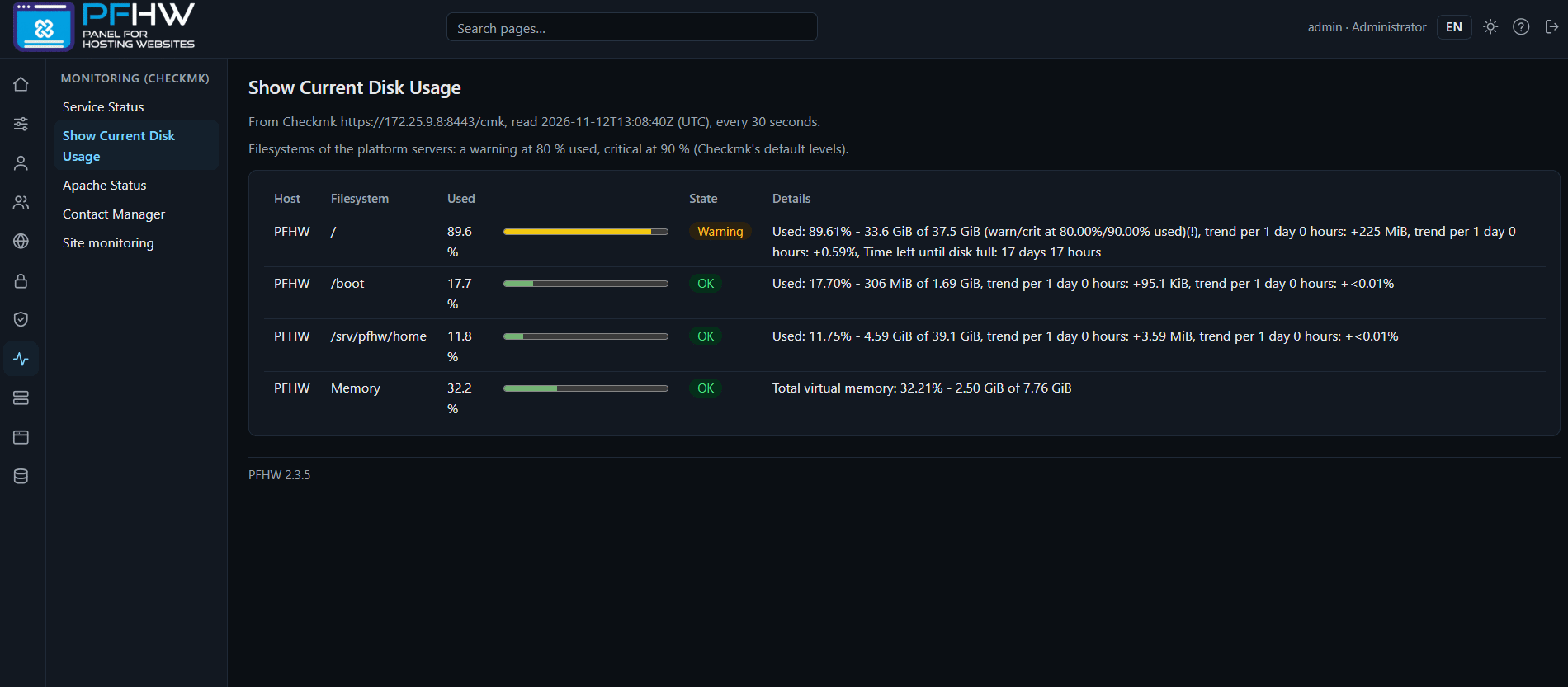
- Checkmk: service status, disk usage, web server statusSee service status, disk use and web server status from Checkmk, once the Checkmk connection is set.
- Checkmk login and poll nowSave the Checkmk login and poll it now.
- Contact Manager: e-mail, URL call and chat webhook contacts for monitoring problemsSend monitoring problems to e-mail, URL and chat webhook contacts.
- Service Manager: list, start, stop, restart, start at boot, monitorList services and start, stop or restart them, set them to start at boot and monitor them.
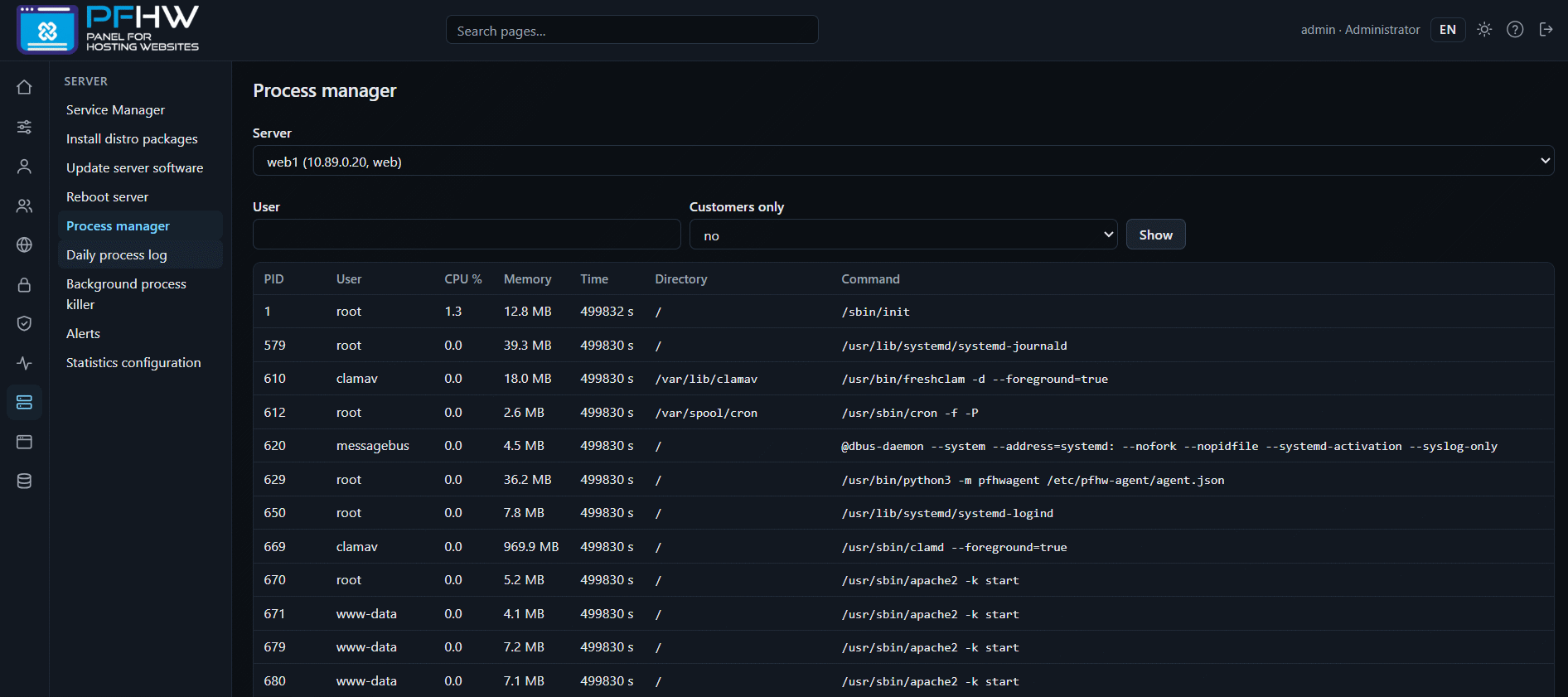
- Process manager: list and kill processesSee running processes and end them.
- Daily process logReview a daily history of processes.
- Background process killer: names and run nowStop unwanted background processes automatically, by name, or run the killer now.
- Alerts: list and acknowledgeList alerts and acknowledge them. Alerts are mailed to the contact address when it is set.
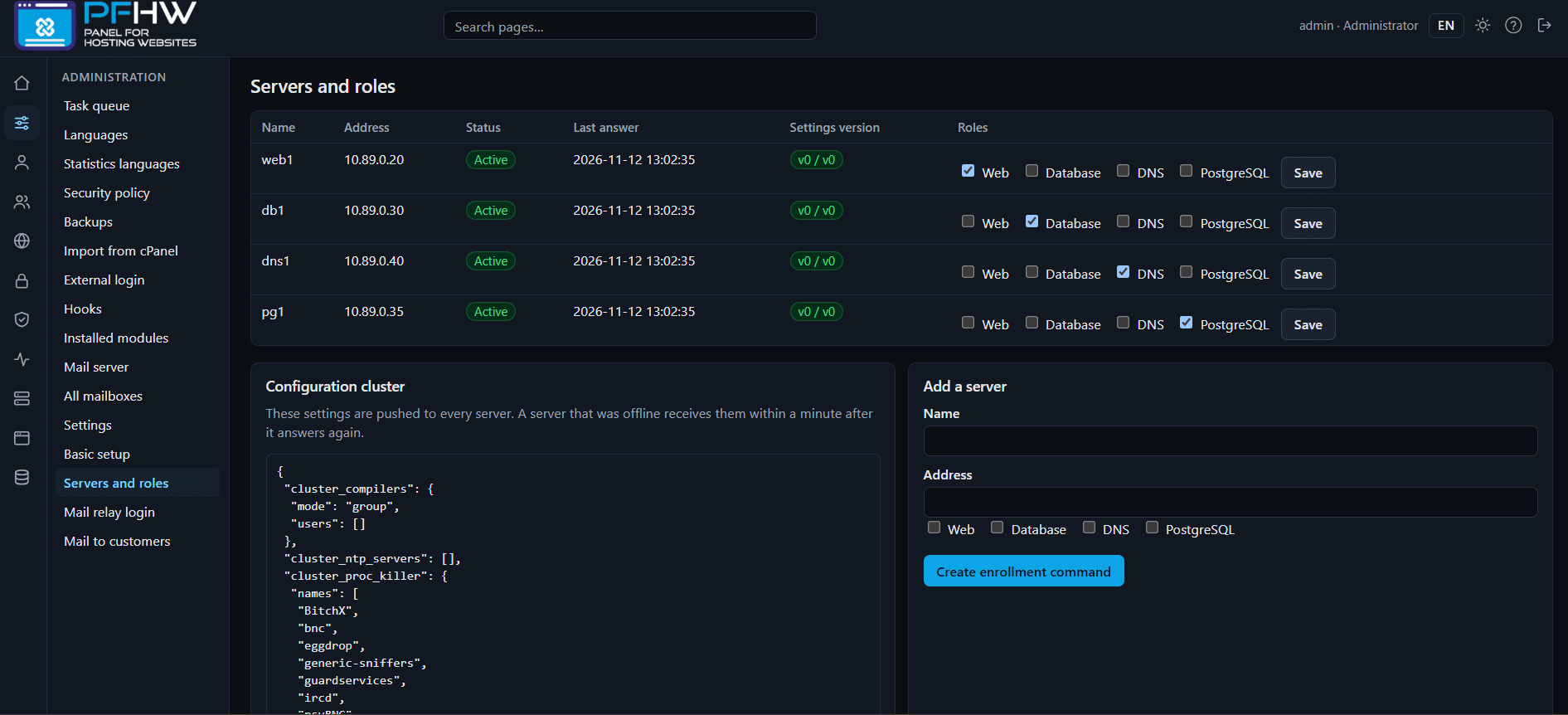
- Servers and roles; change a server's rolesSee the servers and change the roles each one plays.
- Enroll a server (enrollment command)Add a server to the cluster with an enrollment command.
- Send settings to all servers (cluster push)Push the settings to all servers.
- Check a node's agent; remove a node recordCheck a node's agent and remove a node record. Available through the API.
- Cluster settings: time zone, NTP servers, compilers, traceroute, SSH password logins, mail relay address, fork-bomb protectionSet the time zone, NTP servers, compilers, traceroute, SSH password logins, mail relay address and fork-bomb protection for all servers.
- Platform alert e-mail (node events, Core service restarts, failed backups)Get alert e-mails for node events, Core service restarts and failed backups.
- Automatic certificates for the mail host (ACME) MailcowGet automatic certificates for the mail host with ACME.
- Outbound SMTP relay MailcowSend outbound mail through an SMTP relay.
- Mailcow branding: logo upload (normal and dark mode) and theme choice MailcowBrand the mail interface with your logo (normal and dark mode) and a theme.
- Mailcow interface language selection and dark mode switch MailcowChoose the mail interface language and switch dark mode on or off.
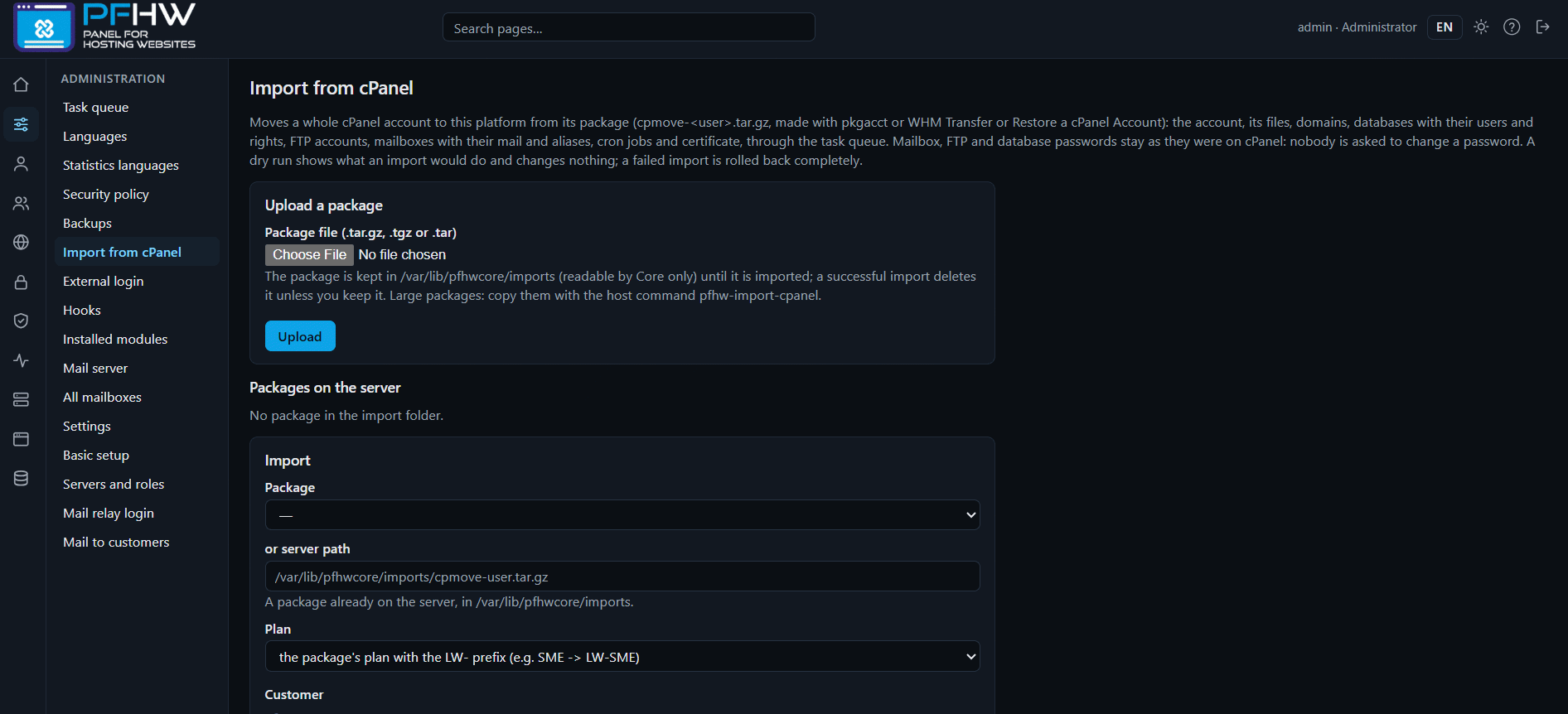
- Import from cPanel: upload package, dry run, import with options, reportImport accounts from a cPanel backup package: upload, dry run, import with options and a report.
- Import from cPanel: show the new passwords onceShow the new passwords of an import once.
- Import from cPanel on the command line (pfhw-import-cpanel)Import from a cPanel backup on the command line with pfhw-import-cpanel.
- DashboardSee the dashboard: for administrators the customers, accounts, active nodes and failed jobs; for customers the account, plan and usage.
- Help (searchable topics by role)Search the help, written for your role.
- Release notesRead the release notes inside the panel.
- Portal search (find any page of your menu)Find any page of your menu with the portal search.
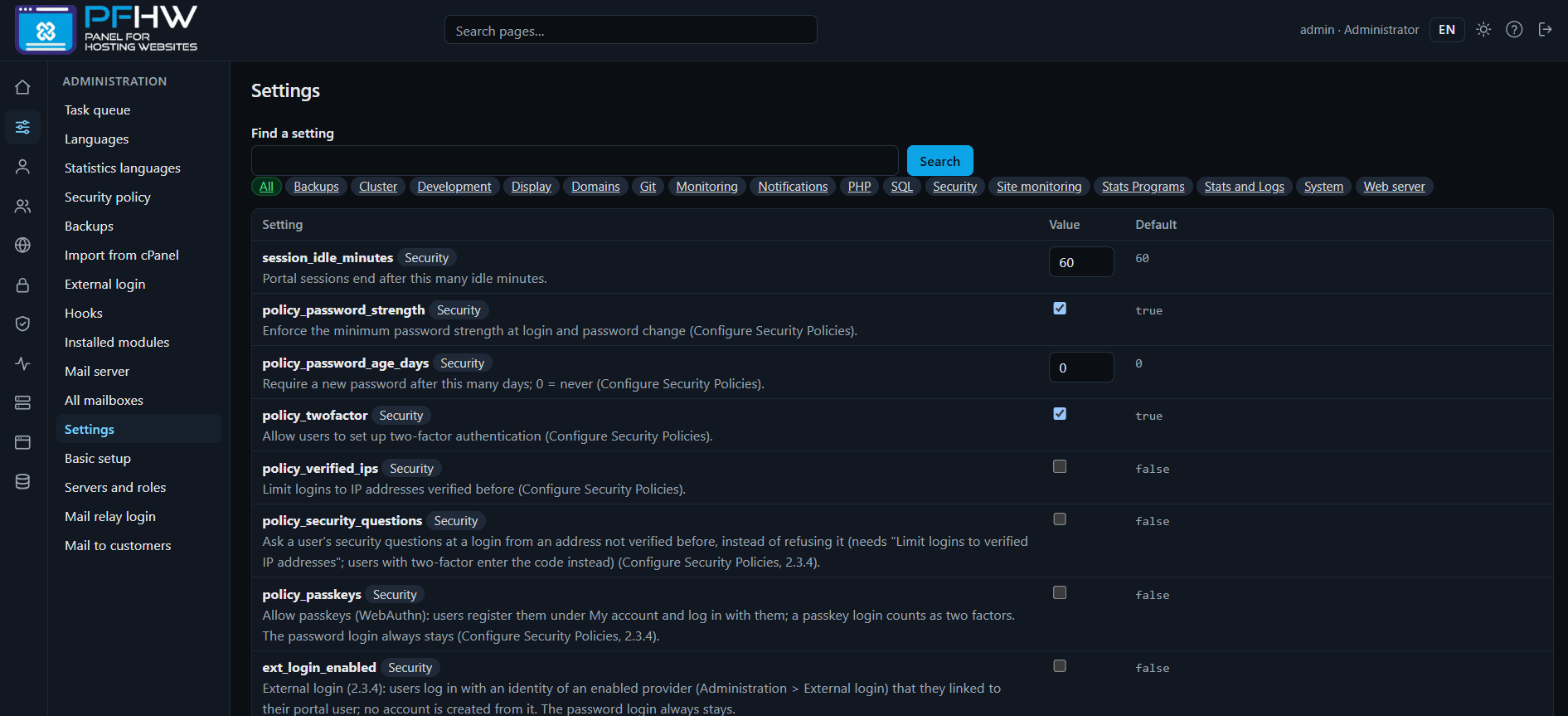
- Settings (Tweak Settings): find, view and save any settingFind, view and save any platform setting. A change takes effect at once.
- Basic setup: contact e-mail, nameservers, hostmaster, home locations, server addresses, default TTLSet the contact e-mail, nameservers, hostmaster, home locations, server addresses and default TTL.
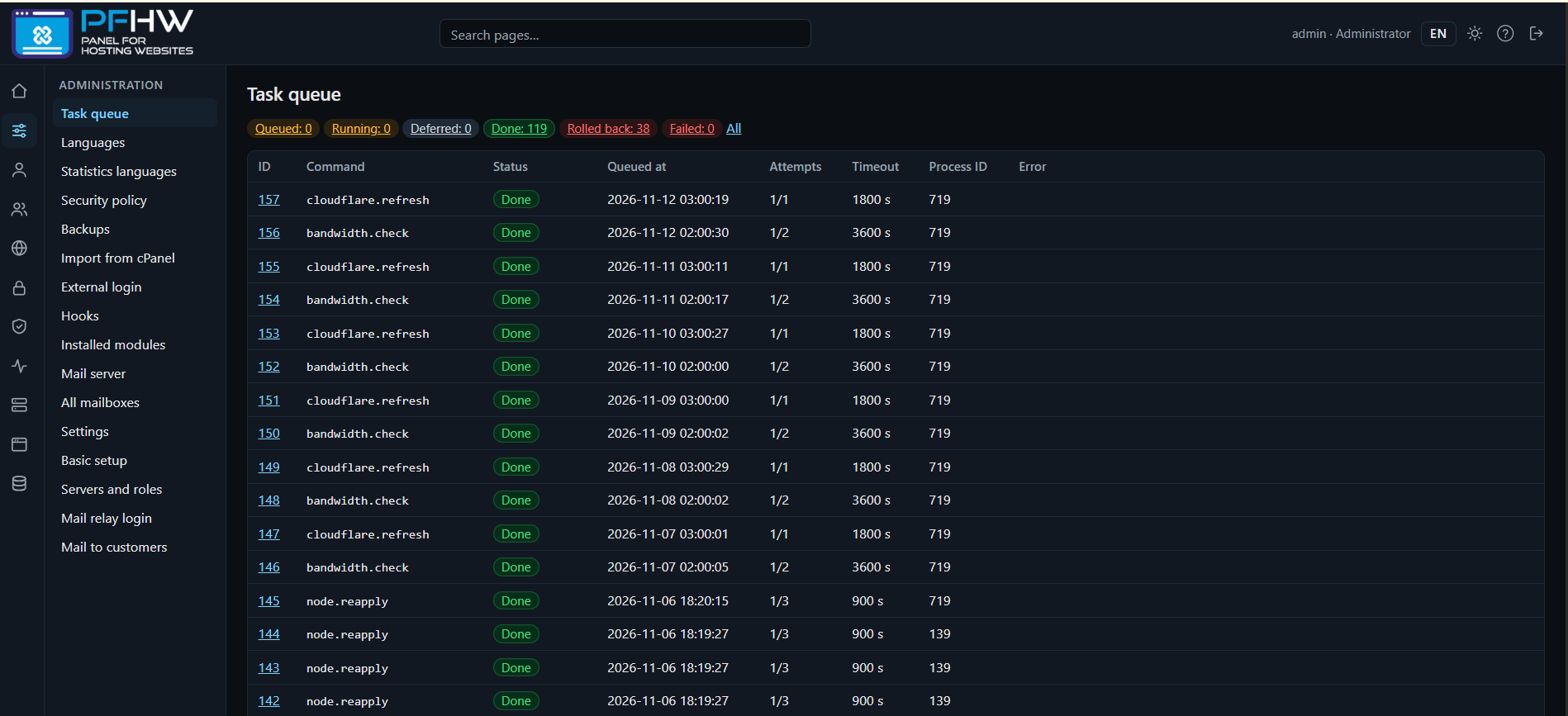
- Task queue: list jobs, view a job and its stepsList the jobs in the task queue and see a job's steps.
- Retry a failed jobRetry a failed job.
- Submit any job type, list job types, cancel a queued jobSubmit any job type, list the job types and cancel a queued job. Available through the API.
- Idempotency keys on account and job callsRetry safely with idempotency keys on account and job calls.
- Hooks: list, turn on or off, reorder, delete; list eventsRun scripts on platform events with hooks: list, switch on and off, reorder and delete.
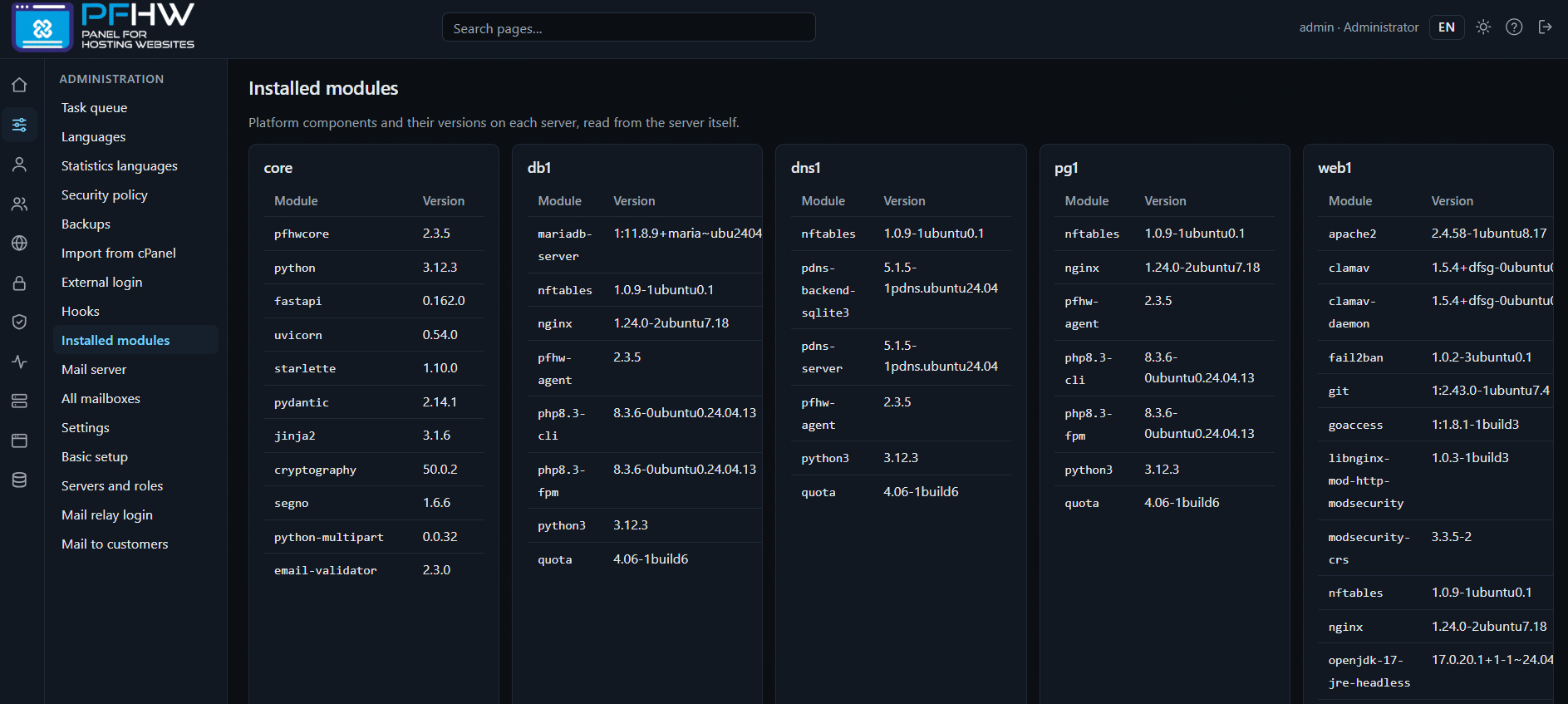
- Installed modules listSee the list of installed modules.
- Health endpointCheck the platform with an unauthenticated health endpoint that returns status and version.
- Resource limits per account (memory, processes, CPU %) from the planLimit memory, processes and CPU for each account through its plan.
- Service monitor (chkservd): restarts monitored services that are down and records an eventRestart monitored services that are down and record an event, every minute.
- Nightly web log rotation, bandwidth counting and customer log archivesRotate web logs every night, count bandwidth and keep log archives for customers who turn them on.
- Daily process log sampling and background process killer (timers)Sample processes every 5 minutes and run the background process killer every night.
- Install the platform (pfhw-install)Install the platform with pfhw-install. It checks everything first and changes nothing if a check fails.
- Upgrade with automatic rollback (pfhw-upgrade)Upgrade with pfhw-upgrade. It backs up first and restores the previous version if the upgrade fails.
- Uninstall (pfhw-uninstall)Remove the platform with pfhw-uninstall, after you type DELETE to confirm.
- Console administration (pfhwcore-admin): create admin, create token, reset password, unblock, list admins, smtp-relay-login, import-cpanel, db-downgrade, agent-jobAdminister from the command line with pfhwcore-admin: create admins and tokens, reset passwords, unblock, import cPanel and more.
- Node enrollment: download the internal CA (machine endpoint)Let a new server download the internal CA while it enrolls.
A dedicated server on a redundant cloud
Reserved resources, replicated storage and automatic failover, in a Tier III data center in Vilnius.
| Component | Specification | What it means for you |
|---|---|---|
| Compute | 2 to 16 dedicated vCPU cores, depending on the package | CPU cores reserved for your server. |
| Memory | 4 to 32 GB dedicated RAM | Memory reserved for your server, not shared with others. |
| Storage | 50 to 250 GB NVMe/SSD | Kept on Ceph with three synchronous copies on separate drives. |
| High availability | Hypervisor-level automatic failover | If a physical host fails, your server restarts on a healthy host within seconds. |
| Network | 1 Gbps redundant uplink | Connected to European backbone networks. |
| Backups | Nightly incremental backups | Kept on a separate storage array, with one-click restore. |
What fully managed covers
- Network edge configuration
- Monitoring of system metrics
- Firewall maintenance
- Operating system security patches
- Backup administration
You keep control of your sites and your application code.
Email on its own servers
Your mail runs on our Mailcow servers, separate from your web server. A traffic spike or a code error on your sites does not interrupt your mail.
Outbound mail is rate limited and sent through relays that help protect the reputation of the sending IP addresses.
Vilnius, Lithuania
Your server and its data stay in a Tier III data center in Vilnius, inside the EU and subject to GDPR.
Choose your server
PFHW is free. You pay only for the server, security, daily backups and the managed service. Pay monthly, or take a year and pay 20% less.
PFHW Starter
- 2 dedicated vCPU
- 4 GB dedicated RAM
- 50 GB NVMe/SSD on Ceph, three copies
- PFHW pre-installed and pre-configured, no limit on sites or accounts
- Management and firewall included
- Nightly incremental backups included
- Up to 1 Gbps internet connection
PFHW Business
- 4 dedicated vCPU
- 8 GB dedicated RAM
- 80 GB NVMe/SSD on Ceph, three copies
- PFHW pre-installed and pre-configured, no limit on sites or accounts
- Management and firewall included
- Nightly incremental backups included
- Up to 1 Gbps internet connection
PFHW Pro
- 6 dedicated vCPU
- 12 GB dedicated RAM
- 120 GB NVMe/SSD on Ceph, three copies
- PFHW pre-installed and pre-configured, no limit on sites or accounts
- Management and firewall included
- Nightly incremental backups included
- Up to 1 Gbps internet connection
PFHW Enterprise
- 8 dedicated vCPU
- 16 GB dedicated RAM
- 150 GB NVMe/SSD on Ceph, three copies
- PFHW pre-installed and pre-configured, no limit on sites or accounts
- Management and firewall included
- Nightly incremental backups included
- Up to 1 Gbps internet connection
PFHW Corporate
- 12 dedicated vCPU
- 24 GB dedicated RAM
- 200 GB NVMe/SSD on Ceph, three copies
- PFHW pre-installed and pre-configured, no limit on sites or accounts
- Management and firewall included
- Nightly incremental backups included
- Up to 1 Gbps internet connection
PFHW Max
- 16 dedicated vCPU
- 32 GB dedicated RAM
- 250 GB NVMe/SSD on Ceph, three copies
- PFHW pre-installed and pre-configured, no limit on sites or accounts
- Management and firewall included
- Nightly incremental backups included
- Up to 1 Gbps internet connection
The price is the same every month. Billed monthly, no contract, no commitment, no increase on renewal.
Email is an add-on: 25 GB of mail storage for €5 per month. Choose how many units you need when you order. Details: Email
Prices are in euros per month, excluding VAT.
Frequently asked questions
Email for all your domains, priced by storage
Add email to any package. It runs on our own mail server in Vilnius. You pay for storage only, never for domains, customers or mailboxes.
| Mail storage | Per month |
|---|---|
| 1 unit: 25 GB | €5 |
| 2 units: 50 GB | €10 |
| 4 units: 100 GB | €20 |
Prices are in euros per month, excluding VAT. Email is an add-on to a server package. When you order a package, enter the number of 25 GB units in the Mail Storage field. The packages themselves do not include mail storage.
- Unlimited domains
- Unlimited mailboxes
- The price depends only on the storage you use
- A mail server that is already in production, with an established sending reputation
- Connected to your server, so mail domains are managed from the control panel
Managed servers with a control panel, side by side
Managed server plans with a control panel, grouped by number of vCPU, from the providers' public pages in November 2026.
| Provider | Plan | vCPU | RAM (GB) | SSD (GB) | Price per month | Price later | Control panel | Accounts included | Billing |
|---|---|---|---|---|---|---|---|---|---|
| CloudAcropolis | PFHW Starter | 2 | 4 | 50 | €29 | Same price | PFHW | No limit | Monthly, no contract |
| Time4VPS | Managed Mini | 2 | 6 | 50 | €22.99 | not stated | cPanel Admin | 5 | Monthly price shown in cart |
| Hosterion | CM8 | 2 | 8 | 60 | €85 | not stated | cPanel/WHM | 5 (more: extra fee) | Monthly; annual saves one month |
| Hosterion | CM12 | 2 | 12 | 90 | €101 | not stated | cPanel/WHM | 5 (more: extra fee) | Monthly; annual saves one month |
| Ginernet | Managed VPS (minimum) | 2 | 4 | 100 | €90 | – | cPanel (licence €30 extra) | 5 | Hourly billing |
| Liquid Web | Managed VPS | 2 | 2 | 40 | $33 for 2 months | $66 | None included; InterWorx, cPanel or Plesk optional | n/a | Promotion, then regular price |
| Provider | Plan | vCPU | RAM (GB) | SSD (GB) | Price per month | Price later | Control panel | Accounts included | Billing |
|---|---|---|---|---|---|---|---|---|---|
| CloudAcropolis | PFHW Business | 4 | 8 | 80 | €39 | Same price | PFHW | No limit | Monthly, no contract |
| Time4VPS | Managed Midi | 4 | 10 | 50 | €44.99 | not stated | cPanel Admin | 5 | Monthly price shown in cart |
| Hosterion | CM16 | 4 | 16 | 120 | €118 | not stated | cPanel/WHM | 5 (more: extra fee) | Monthly; annual saves one month |
| iv.lt | Solo | 4 | 16 | 100+ | €52.99 | not stated | DirectAdmin | 1 domain | Monthly, minimum 1 month |
| Liquid Web | Managed VPS | 4 | 4 | 100 | $55.50 for 2 months | $111 | None included; InterWorx, cPanel or Plesk optional | n/a | Promotion, then regular price |
| Provider | Plan | vCPU | RAM (GB) | SSD (GB) | Price per month | Price later | Control panel | Accounts included | Billing |
|---|---|---|---|---|---|---|---|---|---|
| CloudAcropolis | PFHW Pro | 6 | 12 | 120 | €59 | Same price | PFHW | No limit | Monthly, no contract |
| Time4VPS | Managed Maxi | 6 | 16 | 50 | €66.99 | not stated | cPanel Admin | 5 | Monthly price shown in cart |
| Hosterion | CM20 | 6 | 32 | 240 | €184 | not stated | cPanel/WHM | 5 (more: extra fee) | Monthly; annual saves one month |
| iv.lt | Multi | 6 | 24 | 100+ | €79.99 | not stated | DirectAdmin | Multi-domain | Monthly, minimum 1 month |
| Provider | Plan | vCPU | RAM (GB) | SSD (GB) | Price per month | Price later | Control panel | Accounts included | Billing |
|---|---|---|---|---|---|---|---|---|---|
| CloudAcropolis | PFHW Enterprise | 8 | 16 | 150 | €69 | Same price | PFHW | No limit | Monthly, no contract |
| CloudAcropolis | PFHW Corporate | 12 | 24 | 200 | €89 | Same price | PFHW | No limit | Monthly, no contract |
| CloudAcropolis | PFHW Max | 16 | 32 | 250 | €99 | Same price | PFHW | No limit | Monthly, no contract |
| iv.lt | Pro | 8 | 32 | 100+ | €99.99 | not stated | DirectAdmin | Multi-domain | Monthly, minimum 1 month |
| iv.lt | Vip | 16 | 64 | 100+ | €179.99 | not stated | DirectAdmin | Multi-domain | Monthly, minimum 1 month |
An account is one hosting customer with their own login. cPanel licences limit the number of accounts, and the plans above include a licence for 5. PFHW has no limit.
Prices are taken from each provider's public page and change often; VAT treatment differs between providers. iv.lt plans run on OpenVZ without root access. Plans differ in storage, backups and bandwidth.
"Not stated" means the provider's page does not show a later price.
How it compares with other control panels
A control panel is only part of the cost. Here is what each option includes.
| PFHW | cPanel & WHM | sPanel | CloudPanel | HPanel (hpanel.net) | aaPanel | |
|---|---|---|---|---|---|---|
| Control panel licence | Free | Separate licence; extra security and backup products are sold as add-ons | Included with managed plans; flat licence tiers if you manage the server yourself | Free software | License-based; no price on its features page | Free; a paid Pro edition is sold separately |
| Server included | Yes, a dedicated virtual server | No, the licence does not include hosting | With managed plans from ScalaHosting; otherwise you bring a server | No, you bring the server | Not stated on its features page; installed on your own server | Not stated on its features page; installed on your own server |
| Server management | Included: monitoring, patching, firewall and backups | You or your host | Managed licence available | You | Not stated on its features page | Not stated on its features page |
| Email service | Mailcow mail server, separate from the web server | Built in | Built in | None, you bring a mail service | Built in: Postfix, Dovecot and Roundcube webmail | Mail server listed; details not stated |
| High availability | Ceph with three copies and automatic failover | Depends on where you run it | Depends on where you run it | Depends on where you run it | Not stated on its features page | Not stated on its features page |
Based on each vendor's public documentation, November 2026. Features and prices change, so check with each vendor.
HPanel here is hpanel.net, not Hostinger's hPanel. HPanel and aaPanel details come from each product's features page, read 18 November 2026.
Moving from cPanel? The panel imports cPanel backup packages.
Function by function
Open a category to compare every function with the other panels.
For each product: the share of the functions we could compare with its documentation that it covers (Yes or Partial).
Compared functions: cPanel & WHM 177, sPanel 177, CloudPanel 164, HPanel 374, aaPanel 374.
HPanel and aaPanel are compared from their public documentation (hpanel.net and aapanel.com). Not listed means we found no such function in it.
Yes Partial Not listed Not verified
No function matches your search.
| Function | PFHW | cPanel & WHM | sPanel | CloudPanel | HPanel | aaPanel |
|---|---|---|---|---|---|---|
| Create hosting account | Yes | Not verified | Not verified | Not verified | Yes | Yes |
| List and search hosting accounts (JSON or CSV) | Yes | Not verified | Not verified | Not verified | Partial | Yes |
| View an account | Yes | Not verified | Not verified | Not verified | Yes | Yes |
| Suspend account | Yes | Not verified | Not verified | Not verified | Yes | Yes |
| Unsuspend account | Yes | Yes | Yes | Not listed | Yes | Yes |
| Terminate account | Yes | Not verified | Not verified | Not verified | Yes | Yes |
| Wizard: onboard a customer (administrator) | Yes | Not verified | Not verified | Not verified | Not listed | Partial |
| Change account password | Yes | Yes | Yes | Yes | Yes | Partial |
| Change plan (package) of an account | Yes | Yes | Yes | Not listed | Yes | Yes |
| Change disk quota of an account | Yes | Yes | Yes | Not listed | Partial | Not listed |
| Modify account (own limits, e-mail, user name, owner, language) | Yes | Not verified | Not verified | Not verified | Not listed | Partial |
| Rename account user name | Yes | Not verified | Not verified | Not verified | Not listed | Not listed |
| Modify several accounts at once (bulk) | Yes | Not verified | Not verified | Not verified | Not listed | Not listed |
| Change the owner (reseller) of an account | Yes | Not verified | Not verified | Not verified | Not listed | Not listed |
| Move account to another home directory location | Yes | Yes | Not listed | Not listed | Not listed | Not listed |
| Refresh account usage (disk, bandwidth) | Yes | Not verified | Not verified | Not verified | Partial | Yes |
| Monthly bandwidth limit per account | Yes | Not verified | Not verified | Not verified | Yes | Yes |
| Run the bandwidth check now / lift all bandwidth limits | Yes | Not verified | Not verified | Not verified | Not listed | Not listed |
| View bandwidth usage of all accounts | Yes | Yes | Partial | Not verified | Not listed | Yes |
| List suspended accounts | Yes | Yes | Not listed | Not listed | Partial | Not listed |
| List accounts over quota | Yes | Yes | Partial | Not listed | Not listed | Not listed |
| List and remove subdomains, addon and alias domains of all accounts | Yes | Not verified | Not verified | Not verified | Not listed | Not listed |
| Shell access of accounts (normal, restricted, none; one or all) | Yes | Not verified | Not verified | Not verified | Not listed | Not listed |
| Resellers: add, list, show usage | Yes | Not verified | Not verified | Not verified | Partial | Not listed |
| Plans (packages): create, edit, delete, limits | Yes | Not verified | Not verified | Not verified | Yes | Yes |
| List, create, delete portal users and set their password (API) | Yes | Not verified | Not verified | Not verified | Partial | Not listed |
| Customer records (create, read, change, delete) | Yes | Not verified | Not verified | Not verified | Not listed | Not listed |
| Service and domain records (registry only) | Yes | Not verified | Not verified | Not verified | Not listed | Not listed |
| Audit log | Yes | Not listed | Yes | Yes | Not listed | Yes |
| Account preferences: contact e-mail addresses | Yes | Not verified | Not verified | Not verified | Not listed | Not listed |
| User manager: extra FTP and Web Disk logins | Yes | Yes | Partial | Not listed | Partial | Partial |
| Add a team user | Yes | Not verified | Not verified | Not verified | Not listed | Partial |
| Change a team user's roles (Administrator, Database, Web, Email) | Yes | Not verified | Not verified | Not verified | Not listed | Partial |
| Suspend or unsuspend a team user | Yes | Yes | Yes | Not listed | Not listed | Partial |
| Delete a team user | Yes | Not verified | Not verified | Not verified | Not listed | Partial |
| Suspend all accounts of a reseller | Yes | Not verified | Not verified | Not verified | Not listed | Not listed |
| Unsuspend all accounts of a reseller | Yes | Yes | Yes | Not listed | Not listed | Not listed |
| Terminate all accounts of a reseller | Yes | Yes | Yes | Partial | Not listed | Not listed |
| Create the customer together with the account | Yes | Not verified | Not verified | Not verified | Not listed | Not listed |
| Reseller sees and manages only its own customers' accounts | Yes | Not verified | Not verified | Not verified | Not listed | Not listed |
| Function | PFHW | cPanel & WHM | sPanel | CloudPanel | HPanel | aaPanel |
|---|---|---|---|---|---|---|
| Log in with user name and password | Yes | Not verified | Not verified | Not verified | Yes | Yes |
| Log out | Yes | Not verified | Not verified | Not verified | Yes | Yes |
| Two-factor login (TOTP) set up, confirm and remove | Yes | Not verified | Not verified | Not verified | Not listed | Yes |
| Enter the two-factor code at login | Yes | Not verified | Not verified | Not verified | Not listed | Yes |
| Administrator turns off two-factor for a user | Yes | Not verified | Not verified | Not verified | Not listed | Partial |
| Change own password | Yes | Yes | Yes | Yes | Yes | Yes |
| Password generator | Yes | Not verified | Not verified | Not verified | Not listed | Partial |
| Password strength meter and minimum strength | Yes | Not verified | Not verified | Not verified | Not listed | Partial |
| Password expiry (force new password after N days) | Yes | Not verified | Not verified | Not verified | Not listed | Yes |
| Force password change for users | Yes | Yes | Not listed | Not listed | Not listed | Not listed |
| Limit logins to verified IP addresses | Yes | Not verified | Not verified | Not verified | Not listed | Yes |
| Security questions at login from a new address | Yes | Yes | Not listed | Not listed | Not listed | Not listed |
| Delete own security questions | Yes | Yes | Not listed | Not listed | Not listed | Not listed |
| Administrator resets a user's security questions | Yes | Yes | Not listed | Not listed | Not listed | Not listed |
| Passkeys (WebAuthn) register and log in | Yes | Not listed | Yes | Not listed | Not listed | Not listed |
| Administrator resets a user's passkeys | Yes | Not listed | Yes | Not listed | Not listed | Not listed |
| List users' login methods | Yes | Not verified | Not verified | Not verified | Not listed | Not listed |
| External login (OpenID Connect, Google, GitHub): providers | Yes | Yes | Yes | Not listed | Not listed | Not listed |
| External login: link and unlink own identity | Yes | Yes | Yes | Not listed | Not listed | Not listed |
| External login: administrator removes a user's identities | Yes | Yes | Yes | Not listed | Not listed | Not listed |
| Branded client login domains (reseller) | Yes | Partial | Yes | Not listed | Partial | Not listed |
| One-time login URL for a customer (billing system) | Yes | Yes | Yes | Not listed | Yes | Yes |
| Log in as the customer and return | Yes | Not verified | Not verified | Not verified | Not listed | Yes |
| API tokens: create, rename, revoke | Yes | Not verified | Not verified | Not verified | Partial | Partial |
| API console (Swagger UI) | Yes | Not verified | Not verified | Not verified | Not listed | Not listed |
| Portal single sign-on provider for the file manager (OpenID Connect) | Yes | Not verified | Not verified | Not verified | Not listed | Not listed |
| Statistics report language mapping | Yes | Yes | Not listed | Not listed | Not listed | Not listed |
| Delete own passkey | Yes | Not listed | Yes | Not listed | Not listed | Not listed |
| Function | PFHW | cPanel & WHM | sPanel | CloudPanel | HPanel | aaPanel |
|---|---|---|---|---|---|---|
| ModSecurity (WAF) global configuration: mode, paranoia, threshold, audit, disabled rules | Yes | Yes | Not listed | Not listed | Yes | Partial |
| ModSecurity custom rules and rule hits | Yes | Yes | Not listed | Not listed | Partial | Partial |
| ModSecurity rule sets (OWASP CRS): on/off, version update, rule files, disable by rule id | Yes | Yes | Not listed | Not listed | Yes | Not listed |
| ModSecurity per domain (customer) and hits | Yes | Not verified | Not verified | Not verified | Not listed | Yes |
| Brute force protection (cPHulk): settings, report, unblock | Yes | Not verified | Not verified | Not verified | Partial | Yes |
| Country white and black lists for logins (GeoIP database download and lookup) | Yes | Not verified | Not verified | Not verified | Not listed | Partial |
| Host access control rules | Yes | Partial | Yes | Yes | Partial | Yes |
| IP Blocker (customer) | Yes | Yes | Yes | Yes | Partial | Not listed |
| Virus scanner (ClamAV): scan, quarantine, delete | Yes | Not verified | Not verified | Not verified | Yes | Partial |
| Host firewall with confirm-or-revert | Yes | Partial | Yes | Yes | Not listed | Partial |
| Root SSH keys: list, add, generate, remove | Yes | Yes | Not listed | Not listed | Not listed | Yes |
| Sudo group: list, add and remove members | Yes | Yes | Not listed | Not listed | Not listed | Not listed |
| Security Advisor (read-only scan of the host and of PFHW settings) | Yes | Yes | Not listed | Not listed | Not listed | Yes |
| Security Advisor schedule | Yes | Yes | Not listed | Not listed | Not listed | Not listed |
| Automatic IP banning (Fail2ban-style netfilter) with allowlist and denylist | Yes | Not listed | Yes | Not listed | Yes | Yes |
| Watchdog monitoring of the mail containers | Yes | Not verified | Not verified | Not verified | Not listed | Yes |
| Function | PFHW | cPanel & WHM | sPanel | CloudPanel | HPanel | aaPanel |
|---|---|---|---|---|---|---|
| List domains of an account | Yes | Not verified | Not verified | Not verified | Yes | Yes |
| Change document root and Force HTTPS of a domain | Yes | Yes | Yes | Yes | Partial | Yes |
| Remove a domain | Yes | Not verified | Not verified | Not verified | Yes | Yes |
| Rename the main domain | Yes | Yes | Yes | Not listed | Not listed | Not listed |
| Serve a domain through nginx only or through Apache (.htaccess) | Yes | Not verified | Not verified | Not verified | Not listed | Yes |
| Folder listing mode (Indexes) | Yes | Not verified | Not verified | Not verified | Not listed | Not listed |
| Leech protection of a protected folder | Yes | Yes | Not listed | Not listed | Not listed | Not listed |
| Apache handlers | Yes | Yes | Not listed | Not listed | Not listed | Not listed |
| Add an addon domain | Yes | Yes | Yes | Partial | Yes | Yes |
| Add a subdomain | Yes | Yes | Yes | Partial | Yes | Yes |
| Add an alias (parked) domain | Yes | Yes | Yes | Not listed | Partial | Partial |
| Add a redirect (301/302) | Yes | Yes | Yes | Partial | Yes | Yes |
| Delete a redirect | Yes | Not verified | Not verified | Not verified | Yes | Yes |
| Set a custom error page | Yes | Yes | Not listed | Partial | Not listed | Partial |
| Remove a custom error page | Yes | Yes | Not listed | Partial | Not listed | Partial |
| Add a MIME type | Yes | Yes | Not listed | Partial | Not listed | Not listed |
| Delete a MIME type | Yes | Yes | Not listed | Partial | Not listed | Not listed |
| Protect a folder with a password (Directory privacy) | Yes | Yes | Yes | Partial | Not listed | Yes |
| Add or remove a user of a protected folder | Yes | Not verified | Not verified | Not verified | Not listed | Partial |
| Function | PFHW | cPanel & WHM | sPanel | CloudPanel | HPanel | aaPanel |
|---|---|---|---|---|---|---|
| Global web server settings (timeouts, body size, keep-alive, index files, extra directives) | Yes | Not verified | Not verified | Not verified | Not listed | Yes |
| TLS protocols and ciphers | Yes | Not verified | Not verified | Not verified | Not listed | Partial |
| Reload or restart the web server | Yes | Not verified | Not verified | Not verified | Not listed | Yes |
| Rebuild every account's web server configuration | Yes | Not verified | Not verified | Not verified | Not listed | Not listed |
| Content compression gzip (server default and per site) | Yes | Yes | Not listed | Yes | Yes | Yes |
| Brotli compression | Yes | Yes | Not listed | Yes | Yes | Not listed |
| Reverse proxy site type (site forwards to a back-end URL) | Yes | Not listed | Not listed | Yes | Not listed | Not listed |
| Web server features of the nodes (what nginx can do) | Yes | Not verified | Not verified | Not verified | Not listed | Not listed |
| Page cache per site (on/off, time) and purge | Yes | Not verified | Not verified | Not verified | Yes | Partial |
| WordPress object cache (Redis) on or off | Yes | Not listed | Yes | Not listed | Yes | Partial |
| List sites with a cache (all accounts) | Yes | Not verified | Not verified | Not verified | Not listed | Not listed |
| Bot blocking by user-agent name (per site and server-wide) | Yes | Not listed | Not listed | Yes | Not listed | Yes |
| Hotlink protection | Yes | Yes | Yes | Not listed | Not listed | Yes |
| Cloudflare: real visitor address and Cloudflare-only | Yes | Not listed | Yes | Yes | Not listed | Yes |
| Preview URL /~user on the server address | Yes | Yes | Not listed | Not listed | Not listed | Not listed |
| Function | PFHW | cPanel & WHM | sPanel | CloudPanel | HPanel | aaPanel |
|---|---|---|---|---|---|---|
| PHP version per domain and PHP on/off | Yes | Not verified | Not verified | Not verified | Yes | Yes |
| PHP settings per account (basic form and php.ini editor) | Yes | Yes | Yes | Yes | Partial | Yes |
| PHP-FPM slow log | Yes | Not listed | Yes | Not listed | Not listed | Yes |
| System PHP settings: offered versions, default version, extensions, pool limits | Yes | Not verified | Not verified | Not verified | Partial | Yes |
| Edit php.ini of a PHP version | Yes | Yes | Not listed | Not listed | Not listed | Yes |
| Set PHP version or on/off for several domains | Yes | Not verified | Not verified | Not verified | Not listed | Not listed |
| Build PHP versions and extensions | Yes | Yes | Not listed | Partial | Not listed | Yes |
| Restart PHP-FPM | Yes | Not verified | Not verified | Not verified | Not listed | Yes |
| Web apps: Node.js, Java, Tomcat, Python (WSGI/ASGI) and Ruby (Puma) | Yes | Partial | Partial | Yes | Partial | Partial |
| n8n application | Yes | Not listed | Yes | Not listed | Not listed | Not listed |
| Perl modules, PHP PEAR packages and RubyGems (customer) | Yes | Yes | Not listed | Not listed | Not listed | Not listed |
| System Perl modules and PEAR packages (administrator) | Yes | Yes | Not listed | Not listed | Not listed | Not listed |
| WordPress: install, list and remove | Yes | Not verified | Not verified | Not verified | Yes | Yes |
| WordPress: one-click login | Yes | Not verified | Not verified | Not verified | Not listed | Yes |
| WordPress: change administrator password | Yes | Not verified | Not verified | Not verified | Not listed | Yes |
| WordPress: security report and fixes | Yes | Not verified | Not verified | Not verified | Not listed | Yes |
| WordPress: scan for installations made by other means | Yes | Not verified | Not verified | Not verified | Not listed | Partial |
| Git deployment with releases and rollback | Yes | Not listed | Not listed | Yes | Yes | Partial |
| Git repository browser (read-only) | Yes | Yes | Not listed | Not listed | Not listed | Not listed |
| Add a cron job | Yes | Yes | Yes | Yes | Yes | Yes |
| Edit a cron job | Yes | Yes | Yes | Yes | Yes | Yes |
| Delete a cron job | Yes | Yes | Yes | Yes | Yes | Yes |
| Set the cron output e-mail address | Yes | Not verified | Not verified | Not verified | Not listed | Not listed |
| Create a Git repository (clone or empty) | Yes | Not verified | Not verified | Not verified | Partial | Partial |
| Update a Git repository from its remote and deploy HEAD | Yes | Not verified | Not verified | Not verified | Yes | Partial |
| Stop managing a Git repository | Yes | Not verified | Not verified | Not verified | Not listed | Not listed |
| Start, stop or restart a web app | Yes | Yes | Yes | Yes | Yes | Yes |
| Read a web app's log | Yes | Not verified | Not verified | Not verified | Partial | Not listed |
| WordPress: update core, plugins or themes | Yes | Not verified | Not verified | Not verified | Not listed | Yes |
| WordPress: install a plugin or theme from wordpress.org | Yes | Not verified | Not verified | Not verified | Not listed | Yes |
| Node.js apps | Yes | Yes | Yes | Yes | Yes | Yes |
| Next.js apps in production mode | Yes | Not verified | Not verified | Not verified | Partial | Partial |
| Node.js apps under PM2 (one process manager per account) | Yes | Not verified | Not verified | Not verified | Yes | Yes |
| Deploy an app from Git: public or private repository, branch, build and start commands, environment variables, deploy history | Yes | Not verified | Not verified | Not verified | Yes | Partial |
| Wizard: publish a website or app | Yes | Not verified | Not verified | Not verified | Not listed | Not listed |
| Java and Tomcat apps | Yes | Not listed | Not listed | Not listed | Not listed | Partial |
| Ruby apps (Rack on Puma) | Yes | Yes | Partial | Not listed | Not listed | Not listed |
| Python apps (WSGI on gunicorn, ASGI with uvicorn workers) | Yes | Partial | Partial | Yes | Yes | Yes |
| RubyGems (customer) | Yes | Yes | Partial | Not listed | Not listed | Not listed |
| Function | PFHW | cPanel & WHM | sPanel | CloudPanel | HPanel | aaPanel |
|---|---|---|---|---|---|---|
| File manager (single sign-on into the SFTPGo web client) | Yes | Yes | Yes | Yes | Yes | Yes |
| Web Disk (WebDAV) logins | Yes | Yes | Not listed | Not listed | Not listed | Not listed |
| FTP connections: list and disconnect sessions | Yes | Yes | Not listed | Not listed | Not listed | Not listed |
| Disk usage | Yes | Yes | Partial | Not verified | Yes | Yes |
| Compress, extract, set permissions, search file names | Yes | Yes | Yes | Yes | Partial | Yes |
| Web terminal (customer) | Yes | Not verified | Not verified | Not verified | Yes | Yes |
| FTP server settings and restart (administrator) | Yes | Yes | Not listed | Partial | Not listed | Yes |
| Set up file manager single sign-on on every web node | Yes | Not verified | Not verified | Not verified | Not listed | Not listed |
| SSH server: password logins and restart (administrator) | Yes | Not verified | Not verified | Not verified | Not listed | Yes |
| Root terminal on a node (administrator) | Yes | Not verified | Not verified | Not verified | Yes | Yes |
| Create an FTP account | Yes | Yes | Yes | Not verified | Yes | Yes |
| List FTP accounts with folder, quota and usage | Yes | Not verified | Not verified | Not verified | Partial | Yes |
| Change an FTP account's password or quota | Yes | Not verified | Not verified | Not verified | Partial | Yes |
| Delete an FTP account | Yes | Yes | Yes | Not verified | Yes | Yes |
| Generate an SSH key | Yes | Not verified | Not verified | Not verified | Not listed | Partial |
| Import an SSH key | Yes | Yes | Yes | Yes | Not listed | Not listed |
| Authorize or deauthorize an SSH key | Yes | Not verified | Not verified | Not verified | Not listed | Not listed |
| Delete an SSH key | Yes | Not verified | Not verified | Not verified | Not listed | Not listed |
| Function | PFHW | cPanel & WHM | sPanel | CloudPanel | HPanel | aaPanel |
|---|---|---|---|---|---|---|
| MariaDB: user privileges on a database | Yes | Not verified | Not verified | Not verified | Partial | Yes |
| MariaDB Database Wizard (database, user and privileges in one step) | Yes | Yes | Not listed | Not listed | Not listed | Not listed |
| Remote MySQL (hosts allowed to connect) | Yes | Not verified | Not verified | Not verified | Not listed | Yes |
| phpMyAdmin (customer, logged in automatically) | Yes | Not verified | Not verified | Not verified | Yes | Yes |
| Slow queries (customer, own databases) | Yes | Not listed | Yes | Not listed | Not listed | Partial |
| PostgreSQL Database Wizard | Yes | Yes | Not listed | Not listed | Not listed | Not listed |
| Remote PostgreSQL (hosts allowed to connect) | Yes | Not verified | Not verified | Not verified | Not listed | Yes |
| phpPgAdmin (Adminer, customer, logged in) | Yes | Yes | Yes | Not listed | Not listed | Partial |
| PostgreSQL job status of an account | Yes | Not verified | Not verified | Not verified | Not listed | Not listed |
| MariaDB hosts: list, add, validate, activate, delete | Yes | Not verified | Not verified | Not verified | Not listed | Yes |
| Edit a remote MariaDB host profile | Yes | Not verified | Not verified | Not verified | Not listed | Partial |
| MariaDB root password and restart | Yes | Not verified | Not verified | Not verified | Not listed | Yes |
| Additional MySQL access hosts (all database users) | Yes | Yes | Not listed | Not listed | Not listed | Partial |
| Change any database user's password | Yes | Yes | Not listed | Not listed | Partial | Yes |
| phpMyAdmin at root level | Yes | Yes | Yes | Yes | Not listed | Yes |
| Manage all MariaDB databases and users: list, rename, repair, give to an account | Yes | Not verified | Not verified | Not verified | Partial | Yes |
| Database processes (MariaDB) | Yes | Yes | Yes | Not listed | Not listed | Partial |
| MariaDB upgrade: check, test copy, run | Yes | Yes | Not listed | Not listed | Not listed | Not listed |
| Database version upgrade in container mode (MariaDB and PostgreSQL) with backup, trial on a copy and way back | Yes | Yes | Not listed | Not listed | Not listed | Not listed |
| Database server configuration editor (MariaDB and PostgreSQL) | Yes | Yes | Yes | Not listed | Not listed | Yes |
| Slow query monitoring (administrator: threshold, retention, read, clear) | Yes | Not listed | Yes | Not listed | Not listed | Yes |
| PostgreSQL hosts: list, add, edit, validate, activate, delete, postgres password, restart | Yes | Not verified | Not verified | Not verified | Not listed | Partial |
| PostgreSQL databases, users and processes of all accounts | Yes | Yes | Yes | Not listed | Not listed | Yes |
| phpPgAdmin (Adminer) as superuser | Yes | Yes | Yes | Not listed | Not listed | Partial |
| Create a MariaDB database | Yes | Not verified | Not verified | Not verified | Yes | Yes |
| Rename a MariaDB database | Yes | Yes | Partial | Not listed | Not listed | Not listed |
| Check a MariaDB database | Yes | Not verified | Not verified | Not verified | Not listed | Partial |
| Repair a MariaDB database | Yes | Not verified | Not verified | Not verified | Not listed | Yes |
| Delete a MariaDB database | Yes | Not verified | Not verified | Not verified | Yes | Yes |
| Create a MariaDB user | Yes | Not verified | Not verified | Not verified | Yes | Yes |
| Change a MariaDB user's password | Yes | Yes | Not listed | Not listed | Yes | Yes |
| Rename a MariaDB user | Yes | Not verified | Not verified | Not verified | Not listed | Not listed |
| Delete a MariaDB user | Yes | Not verified | Not verified | Not verified | Yes | Yes |
| Create a PostgreSQL database | Yes | Not verified | Not verified | Not verified | Not listed | Yes |
| Rename a PostgreSQL database | Yes | Yes | Partial | Not listed | Not listed | Not listed |
| Check a PostgreSQL database | Yes | Not verified | Not verified | Not verified | Not listed | Not listed |
| Repair a PostgreSQL database | Yes | Not verified | Not verified | Not verified | Not listed | Not listed |
| Delete a PostgreSQL database | Yes | Yes | Yes | Not listed | Not listed | Yes |
| Create a PostgreSQL user | Yes | Not verified | Not verified | Not verified | Not listed | Yes |
| Change a PostgreSQL user's password | Yes | Yes | Not listed | Not listed | Not listed | Yes |
| Rename a PostgreSQL user | Yes | Yes | Partial | Not listed | Not listed | Not listed |
| Delete a PostgreSQL user | Yes | Yes | Yes | Not listed | Not listed | Partial |
| Add or remove a PostgreSQL user on a database | Yes | Not verified | Not verified | Not verified | Not listed | Not listed |
| Synchronize PostgreSQL grants | Yes | Not verified | Not verified | Not verified | Not listed | Yes |
| Function | PFHW | cPanel & WHM | sPanel | CloudPanel | HPanel | aaPanel |
|---|---|---|---|---|---|---|
| List and search DNS zones | Yes | Not verified | Not verified | Not verified | Yes | Yes |
| Add DNS zone | Yes | Yes | Not listed | Not verified | Yes | Yes |
| Delete DNS zones | Yes | Yes | Not listed | Not verified | Yes | Yes |
| Add an A entry for a host name | Yes | Yes | Not listed | Not verified | Yes | Yes |
| Restart DNS server | Yes | Not verified | Not verified | Not verified | Not listed | Yes |
| Template for new zones | Yes | Yes | Not listed | Not verified | Not listed | Not listed |
| Set TTL of selected zones | Yes | Yes | Not listed | Not verified | Not listed | Not listed |
| DNS cleanup (remove duplicate records) | Yes | Yes | Not listed | Not verified | Not listed | Not listed |
| Add SPF to all account zones | Yes | Yes | Yes | Not listed | Partial | Partial |
| Change an IP address in all zones | Yes | Yes | Not listed | Not listed | Not listed | Not listed |
| Create missing zones for account domains | Yes | Not verified | Not verified | Not verified | Not listed | Not listed |
| Nameservers for all zones (set, dry run, apply) | Yes | Not verified | Not verified | Not verified | Partial | Not listed |
| Edit any zone's records and view its change history (admin) | Yes | Not verified | Not verified | Not verified | Partial | Partial |
| DNS cluster status and synchronise with a secondary | Yes | Not verified | Not verified | Not verified | Partial | Not listed |
| Reset zone to the default records | Yes | Not verified | Not verified | Not verified | Not listed | Not listed |
| Track DNS: look up a name and trace a route | Yes | Not verified | Not verified | Not verified | Not listed | Not listed |
| Domain forwarding (whole domain 301/302 to a URL, no account) | Yes | Yes | Not listed | Not listed | Not listed | Not listed |
| View DNS records of a zone (customer) | Yes | Not verified | Not verified | Not verified | Yes | Yes |
| Add a DNS record (customer) | Yes | Not verified | Not verified | Not verified | Yes | Yes |
| Edit a DNS record (customer) | Yes | Not verified | Not verified | Not verified | Yes | Yes |
| Delete a DNS record (customer) | Yes | Not verified | Not verified | Not verified | Yes | Yes |
| DNSSEC: view keys and DS records | Yes | Not verified | Not verified | Not verified | Not listed | Not listed |
| DNSSEC: create or import a key | Yes | Yes | Not listed | Not verified | Not listed | Not listed |
| DNSSEC: activate or deactivate a key | Yes | Not verified | Not verified | Not verified | Not listed | Not listed |
| DNSSEC: export a private key | Yes | Not verified | Not verified | Not verified | Not listed | Not listed |
| DNSSEC: delete a key | Yes | Yes | Not listed | Not verified | Not listed | Not listed |
| Dynamic DNS: create a host | Yes | Yes | Not listed | Not verified | Not listed | Partial |
| Dynamic DNS: recreate a host's address or delete the host | Yes | Not verified | Not verified | Not verified | Not listed | Not listed |
| Dynamic DNS: device updates its address (public web call) | Yes | Not verified | Not verified | Not verified | Not listed | Not listed |
| Function | PFHW | cPanel & WHM | sPanel | CloudPanel | HPanel | aaPanel |
|---|---|---|---|---|---|---|
| Private keys: generate, upload, view, delete | Yes | Not verified | Not verified | Not verified | Not listed | Partial |
| Certificate signing requests: create, view, delete | Yes | Not verified | Not verified | Not verified | Not listed | Not listed |
| Upload a certificate | Yes | Yes | Yes | Yes | Partial | Not listed |
| Create a self-signed certificate | Yes | Yes | Not listed | Yes | Not listed | Not listed |
| Install and uninstall a certificate on a site | Yes | Not verified | Not verified | Not verified | Yes | Yes |
| SSL/TLS status of every domain with expiry warning | Yes | Yes | Partial | Not listed | Partial | Yes |
| SSL/TLS wizard (one certificate on several domains) | Yes | Not verified | Not verified | Not verified | Not listed | Partial |
| Manage SSL hosts: list, make primary, uninstall (administrator) | Yes | Not verified | Not verified | Not verified | Not listed | Not listed |
| SSL storage manager (stored keys, CSRs, certificates of all accounts) | Yes | Yes | Not listed | Not listed | Not listed | Partial |
| Install a certificate on any domain (administrator) | Yes | Yes | Not listed | Not listed | Partial | Yes |
| Automatic certificate (Let's Encrypt): order, install and renew | Yes | Yes | Yes | Yes | Yes | Yes |
| Wildcard certificate through DNS validation | Yes | Not verified | Not verified | Not verified | Not listed | Yes |
| Automatic certificate status, failures shown, and switch back to an uploaded certificate | Yes | Not verified | Not verified | Not verified | Not listed | Partial |
| Function | PFHW | cPanel & WHM | sPanel | CloudPanel | HPanel | aaPanel |
|---|---|---|---|---|---|---|
| Connect a Mailcow mail server (save, test, sync, disconnect) | Yes | Not verified | Not verified | Not verified | Not listed | Not listed |
| Mail import access for the cPanel importer (SSH key limited to one command) | Yes | Not verified | Not verified | Not verified | Not listed | Not listed |
| All mailboxes of the platform | Yes | Yes | Yes | Not listed | Partial | Yes |
| Mail on or off for a domain (with delete preview) | Yes | Not verified | Not verified | Not verified | Partial | Partial |
| Mail settings (server names for mail programs) | Yes | Not verified | Not verified | Not verified | Not listed | Not listed |
| Mail DNS records (MX, SPF, DKIM, DMARC) preview and apply | Yes | Yes | Yes | Not listed | Yes | Yes |
| Mail to customers (all customers, resellers, a plan or a node) | Yes | Yes | Not listed | Not listed | Not listed | Partial |
| Mail relay login (user and password of the SMTP relay) | Yes | Not verified | Not verified | Not verified | Not listed | Not listed |
| Create a mailbox | Yes | Not verified | Not verified | Not verified | Yes | Yes |
| Change a mailbox's password or quota | Yes | Not verified | Not verified | Not verified | Partial | Not listed |
| Disable or enable a mailbox | Yes | Not verified | Not verified | Not verified | Not listed | Yes |
| Delete a mailbox | Yes | Not verified | Not verified | Not verified | Yes | Yes |
| Add an alias or forwarder | Yes | Yes | Yes | Not listed | Yes | Yes |
| Change an alias's destinations or disable/enable it | Yes | Not verified | Not verified | Not verified | Partial | Not listed |
| Delete an alias | Yes | Not verified | Not verified | Not verified | Yes | Yes |
| Mail to customers: preview recipients and send a test mail | Yes | Yes | Not listed | Not listed | Not listed | Partial |
| Mail to customers: view progress, cancel and resume a mailing | Yes | Yes | Not listed | Not listed | Not listed | Partial |
| Mailboxes with quota, per-mailbox settings | Yes | Yes | Yes | Not listed | Partial | Not listed |
| Aliases, forwarders, catch-all, tagged-mail handling | Yes | Yes | Yes | Not listed | Partial | Partial |
| Webmail (SOGo) with direct login forwarding | Yes | Yes | Yes | Not listed | Yes | Yes |
| Calendars and contacts (CalDAV, CardDAV), ActiveSync, SOGo resources | Yes | Yes | Not listed | Not listed | Not listed | Not listed |
| Autoresponder / out-of-office (SOGo) | Yes | Yes | Yes | Not listed | Yes | Yes |
| Mail filters (Sieve) per user | Yes | Yes | Yes | Not listed | Yes | Not listed |
| Global filter maps (pre- and post-filter) | Yes | Yes | Not listed | Not listed | Not listed | Not listed |
| Spam filter: per-user spam score, black and white lists, Rspamd settings map | Yes | Yes | Yes | Not listed | Partial | Partial |
| Greylisting | Yes | Yes | Not listed | Not listed | Not listed | Not listed |
| Quarantine with notifications (never, hourly, daily, weekly) | Yes | Yes | Not listed | Not listed | Not listed | Not listed |
| Antivirus scanning (ClamAV) | Yes | Not verified | Not verified | Not verified | Not listed | Not listed |
| Queue Manager | Yes | Yes | Not listed | Not listed | Not listed | Not listed |
| Sync jobs (imapsync) to pull or migrate remote mailboxes | Yes | Not listed | Yes | Not listed | Not listed | Not listed |
| Rate limits per domain and per mailbox | Yes | Not listed | Yes | Not listed | Not listed | Not listed |
| Routing: sender-dependent transports and relay domains | Yes | Yes | Yes | Not listed | Yes | Not listed |
| Forwarding hosts | Yes | Not verified | Not verified | Not verified | Not listed | Not listed |
| BCC maps (copy of mail to another address) and recipient maps | Yes | Yes | Not listed | Not listed | Not listed | Yes |
| TLS policy maps and enforced TLS incoming and outgoing per mailbox | Yes | Not verified | Not verified | Not verified | Not listed | Not listed |
| DKIM and ARC keys, DNS records per domain | Yes | Yes | Yes | Not listed | Partial | Partial |
| Autoconfig and autodiscover | Yes | Yes | Yes | Not listed | Not listed | Not listed |
| Logs: Postfix, Dovecot, SOGo, Netfilter, Autodiscover, Watchdog, ACME, API, Rate limits, Crontasks, Rspamd, Mailcow UI, SASL | Yes | Yes | Yes | Not listed | Not listed | Partial |
| Quota notifications and mailbox statistics | Yes | Yes | Not listed | Not listed | Not listed | Not listed |
| Mailing lists per domain | Yes | Yes | Not listed | Not listed | Not listed | Partial |
| Mailbox password recovery e-mail, force password change, force 2FA enrollment, app passwords | Yes | Not verified | Not verified | Not verified | Not listed | Not listed |
| Wizard: set up mail for a domain | Yes | Not verified | Not verified | Not verified | Not listed | Not listed |
| Mail server administrators, domain administrators, two-factor and FIDO2 login, API | Yes | Not verified | Not verified | Not verified | Not listed | Partial |
| Per-mailbox ACL (permissions), Pushover notifications, custom attributes, rename mailbox | Yes | Not verified | Not verified | Not verified | Not listed | Not listed |
| Allowed protocols per mailbox (IMAP, POP3, SMTP, Sieve, ActiveSync, CalDAV) | Yes | Not verified | Not verified | Not verified | Not listed | Not listed |
| Alias domains: a whole domain forwarded to another domain on the server; catch-all aliases to any address | Yes | Partial | Yes | Not listed | Not listed | Not listed |
| Function | PFHW | cPanel & WHM | sPanel | CloudPanel | HPanel | aaPanel |
|---|---|---|---|---|---|---|
| Customer backup download: home directory and each database | Yes | Not verified | Not verified | Not verified | Partial | Yes |
| Customer restore of files or of a database from an uploaded backup | Yes | Yes | Yes | Yes | Partial | Yes |
| Backup settings: destination, schedules, retention, encryption, verification | Yes | Yes | Yes | Yes | Partial | Partial |
| Scheduled backups and retention | Yes | Yes | Yes | Partial | Yes | Yes |
| Backup encryption (gpg AES-256) | Yes | Not verified | Not verified | Not verified | Not listed | Not listed |
| Leave an account out of backups | Yes | Not listed | Yes | Not listed | Not listed | Partial |
| Platform backup and restore commands (pfhw-backup, pfhw-restore) | Yes | Not verified | Not verified | Not verified | Not listed | Not listed |
| Back up one account now | Yes | Not verified | Not verified | Not verified | Yes | Yes |
| Full-server backup now | Yes | Partial | Partial | Partial | Partial | Yes |
| Test the backup destination | Yes | Yes | Yes | Yes | Not listed | Not listed |
| Verify a backup again | Yes | Not verified | Not verified | Not verified | Not listed | Not listed |
| Restore an account backup: dry run | Yes | Not verified | Not verified | Not verified | Not listed | Not listed |
| Restore an account backup into the same or a recreated account | Yes | Not verified | Not verified | Not verified | Yes | Yes |
| Show the new passwords of a restore once | Yes | Not verified | Not verified | Not verified | Not listed | Not listed |
| Function | PFHW | cPanel & WHM | sPanel | CloudPanel | HPanel | aaPanel |
|---|---|---|---|---|---|---|
| Visitors (recent requests) | Yes | Not verified | Not verified | Not verified | Not listed | Not listed |
| Error log | Yes | Yes | Yes | Yes | Yes | Yes |
| Raw access logs: archive setting and download | Yes | Yes | Not listed | Not listed | Not listed | Yes |
| Bandwidth charts | Yes | Not verified | Not verified | Not verified | Not listed | Yes |
| Statistics reports (GoAccess): choose domains, open report | Yes | Not verified | Not verified | Not verified | Not listed | Yes |
| Statistics configuration (administrator) | Yes | Not verified | Not verified | Not verified | Not listed | Partial |
| CPU and RAM usage per account | Yes | Partial | Yes | Not listed | Partial | Not listed |
| Site monitoring (uptime, status, text, speed, certificate expiry) with e-mail alerts | Yes | Partial | Yes | Not listed | Not listed | Partial |
| Site monitoring overview and limits (administrator) | Yes | Partial | Yes | Not listed | Not listed | Not listed |
| SEO audit of a domain | Yes | Yes | Not listed | Not listed | Not listed | Not listed |
| Checkmk: service status, disk usage, web server status | Yes | Not verified | Not verified | Not verified | Yes | Yes |
| Checkmk login and poll now | Yes | Not verified | Not verified | Not verified | Not listed | Not listed |
| Contact Manager: e-mail, URL call and chat webhook contacts for monitoring problems | Yes | Not verified | Not verified | Not verified | Not listed | Yes |
| Function | PFHW | cPanel & WHM | sPanel | CloudPanel | HPanel | aaPanel |
|---|---|---|---|---|---|---|
| Service Manager: list, start, stop, restart, start at boot, monitor | Yes | Yes | Yes | Yes | Yes | Yes |
| Process manager: list and kill processes | Yes | Yes | Yes | Not listed | Not listed | Partial |
| Daily process log | Yes | Yes | Yes | Not listed | Not listed | Not listed |
| Background process killer: names and run now | Yes | Yes | Not listed | Not listed | Not listed | Not listed |
| Alerts: list and acknowledge | Yes | Not verified | Not verified | Not verified | Not listed | Partial |
| Servers and roles; change a server's roles | Yes | Yes | Partial | Not listed | Not listed | Partial |
| Enroll a server (enrollment command) | Yes | Not verified | Not verified | Not verified | Not listed | Yes |
| Send settings to all servers (cluster push) | Yes | Not verified | Not verified | Not verified | Not listed | Not listed |
| Check a node's agent; remove a node record | Yes | Not verified | Not verified | Not verified | Not listed | Yes |
| Cluster settings: time zone, NTP servers, compilers, traceroute, SSH password logins, mail relay address, fork-bomb protection | Yes | Not verified | Not verified | Not verified | Not listed | Partial |
| Platform alert e-mail (node events, Core service restarts, failed backups) | Yes | Not verified | Not verified | Not verified | Not listed | Yes |
| Automatic certificates for the mail host (ACME) | Yes | Not verified | Not verified | Not verified | Not listed | Partial |
| Outbound SMTP relay | Yes | Partial | Not listed | Not listed | Not listed | Not listed |
| Mailcow branding: logo upload (normal and dark mode) and theme choice | Yes | Yes | Yes | Not listed | Not listed | Not listed |
| Mailcow interface language selection and dark mode switch | Yes | Yes | Not listed | Partial | Not listed | Not listed |
| Function | PFHW | cPanel & WHM | sPanel | CloudPanel | HPanel | aaPanel |
|---|---|---|---|---|---|---|
| Import from cPanel: upload package, dry run, import with options, report | Yes | Not verified | Not verified | Not verified | Yes | Yes |
| Import from cPanel: show the new passwords once | Yes | Not verified | Not verified | Not verified | Not listed | Not listed |
| Import from cPanel on the command line (pfhw-import-cpanel) | Yes | Yes | Yes | Not listed | Not listed | Not listed |
| Dashboard | Yes | Not verified | Not verified | Not verified | Yes | Yes |
| Help (searchable topics by role) | Yes | Not verified | Not verified | Not verified | Not listed | Not listed |
| Release notes | Yes | Yes | Yes | Not listed | Partial | Partial |
| Portal search (find any page of your menu) | Yes | Not verified | Not verified | Not verified | Not listed | Yes |
| Settings (Tweak Settings): find, view and save any setting | Yes | Not verified | Not verified | Not verified | Not listed | Yes |
| Basic setup: contact e-mail, nameservers, hostmaster, home locations, server addresses, default TTL | Yes | Not verified | Not verified | Not verified | Partial | Not listed |
| Task queue: list jobs, view a job and its steps | Yes | Yes | Not listed | Not listed | Not listed | Yes |
| Retry a failed job | Yes | Not verified | Not verified | Not verified | Not listed | Not listed |
| Submit any job type, list job types, cancel a queued job | Yes | Not verified | Not verified | Not verified | Not listed | Not listed |
| Idempotency keys on account and job calls | Yes | Not verified | Not verified | Not verified | Not listed | Not listed |
| Hooks: list, turn on or off, reorder, delete; list events | Yes | Yes | Partial | Not listed | Not listed | Partial |
| Installed modules list | Yes | Yes | Not listed | Not listed | Not listed | Yes |
| Health endpoint | Yes | Not verified | Not verified | Not verified | Not listed | Not listed |
| Resource limits per account (memory, processes, CPU %) from the plan | Yes | Not verified | Not verified | Not verified | Yes | Partial |
| Service monitor (chkservd): restarts monitored services that are down and records an event | Yes | Not verified | Not verified | Not verified | Yes | Yes |
| Nightly web log rotation, bandwidth counting and customer log archives | Yes | Not verified | Not verified | Not verified | Not listed | Yes |
| Daily process log sampling and background process killer (timers) | Yes | Not verified | Not verified | Not verified | Not listed | Not listed |
| Install the platform (pfhw-install) | Yes | Not verified | Not verified | Not verified | Yes | Yes |
| Upgrade with automatic rollback (pfhw-upgrade) | Yes | Not verified | Not verified | Not verified | Yes | Partial |
| Uninstall (pfhw-uninstall) | Yes | Not verified | Not verified | Not verified | Not listed | Not listed |
| Console administration (pfhwcore-admin): create admin, create token, reset password, unblock, list admins, smtp-relay-login, import-cpanel, db-downgrade, agent-job | Yes | Not verified | Not verified | Not verified | Not listed | Partial |
| Node enrollment: download the internal CA (machine endpoint) | Yes | Not verified | Not verified | Not verified | Not listed | Not listed |
"Not listed" means the function is not in the vendor's documented feature list. It is not proof that the product lacks it. "Not verified" means we have not matched this function to the other panels' documentation.
Download it for free
You can download PFHW (Panel for Hosting Websites) and run it on your own server, free of cost and without support, for whatever purpose you want.

PFHW
PFHW, Panel for Hosting Websites: the hosting control panel behind this service. Free to download and use.
Mailcow
The mail server that provides mailboxes, webmail and spam filtering. Mail features in the panel work once you connect your Mailcow server.
Go to MailcowWhat you need
- Ubuntu Server 24.04 LTS, 64-bit (amd64)
- At least 2 vCPU and 4 GB of RAM
- System disk of 40 GB or more
- A second, empty disk of 10 GB or more for customer data. The installer formats it, so it must not hold anything you want to keep.
- One public IPv4 address, and outgoing HTTPS access during installation
- Open ports: 21, 22, 53 (TCP and UDP), 80, 443, 2022, 2078, 2087 and 50000 to 50100. Port 3306 is optional.
- The server's own SSH access moved off port 22, because port 22 is used for your customers' SSH access
- A name for the portal and two nameserver names, with DNS records pointing to the server
- Someone to install and administer it
- A Mailcow server, if you want email
The installer checks the server first and changes nothing if a check fails.
No support is included with the download. If you would rather have us run the server for you, see the pricing.
How to install
- Download the package (pfhw-2.5.0.tar.gz) and its checksum file (.sha256) to your server.
- Check the download against the checksum file.
- Unpack the package with
tar xzf pfhw-2.5.0.tar.gzand open the pfhw-2.5.0 folder. - Read the README.md file in that folder.
- Run
./pfhw-install --check-only. It tests the server and changes nothing. - Fix anything the check reports, then run
./pfhw-installto install. The installer loads the program images from the package itself.
Software you can connect
All three are optional. The panel works without them.
- Checkmk
Monitoring. The panel shows the status of your servers and services, read from your Checkmk.
Connect it: in the panel's administration area, enter your Checkmk address and a read-only Checkmk user with its secret. - Mailcow
Mail server. It provides mailboxes, webmail and spam filtering for the domains you manage in the panel.
Connect it: in the panel, open Administration, then Mail server. Enter the Mailcow address, API key and certificate fingerprint, then press Save and Test connection. - WHMCS
Billing and ordering. The panel has no billing of its own, so a billing system such as WHMCS can create, suspend and terminate hosting accounts through the panel API.
Connect it: create an API token in the panel under My account, then give the token to your billing system.
Want to see it running?
Request a demo and we will contact you to arrange a time.